Sponsored


Integra Tech Tips: weird and wonderful things your car does

dhubbard

Member
Joined
Jul 27, 2026
Threads
1
Messages
6
Reaction score
4
Location
Texas
Car(s)
2024 Integra
Hey! I'm getting used to my car and had some wacky experiences. Here's one I thought might be useful to everyone.

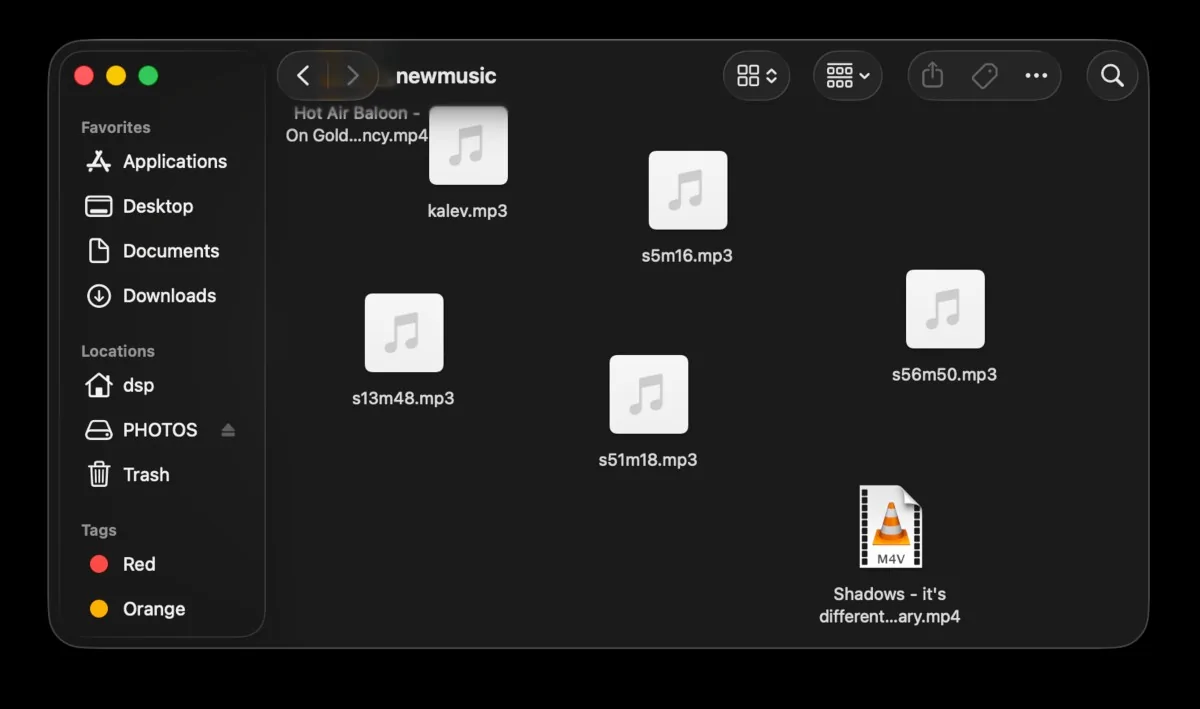
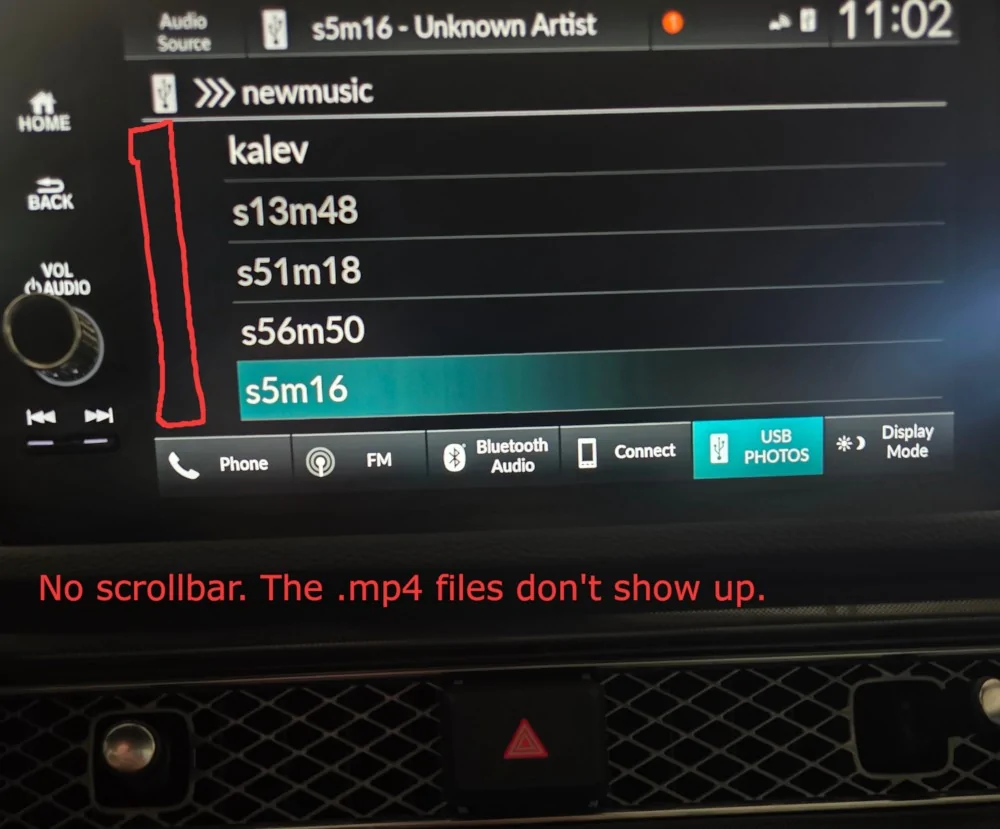
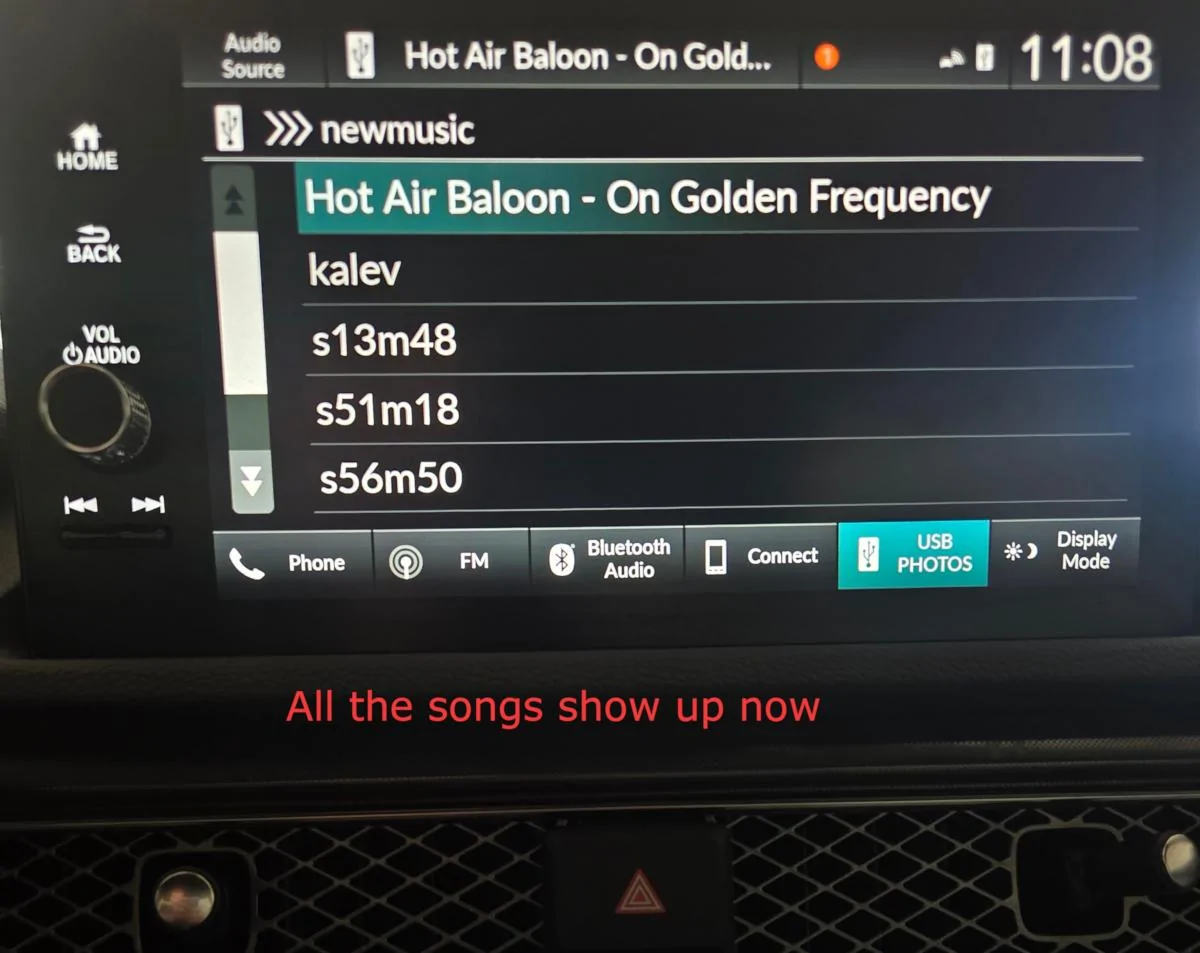
Your ELS Audio system can play audio from a USB stick. But it only displays files with "the right" extension. For example I had this on my usb stick:

Acura Integra Integra Tech Tips: weird and wonderful things your car does filenamemp4

Files like "On Golden Frequency.mp4" and "it's different ft Miss Mary.mp4" don't show up!

But there's a trick to make them play just fine.
Acura Integra Integra Tech Tips: weird and wonderful things your car does nomp4allowed


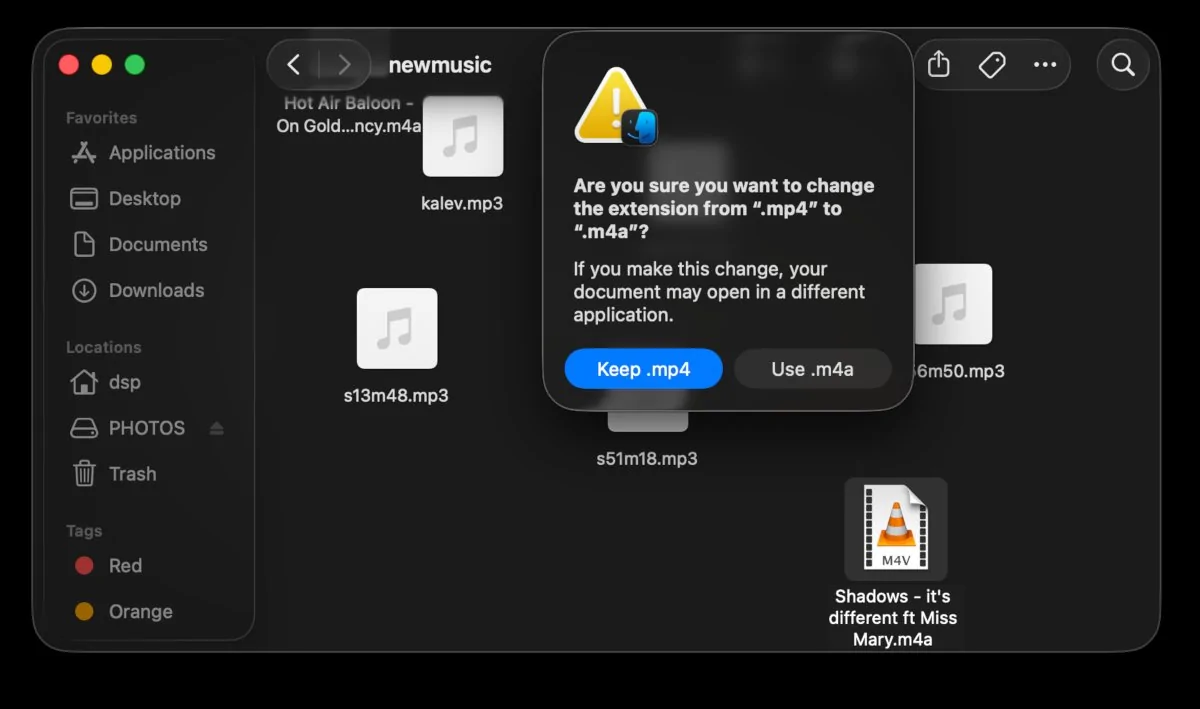
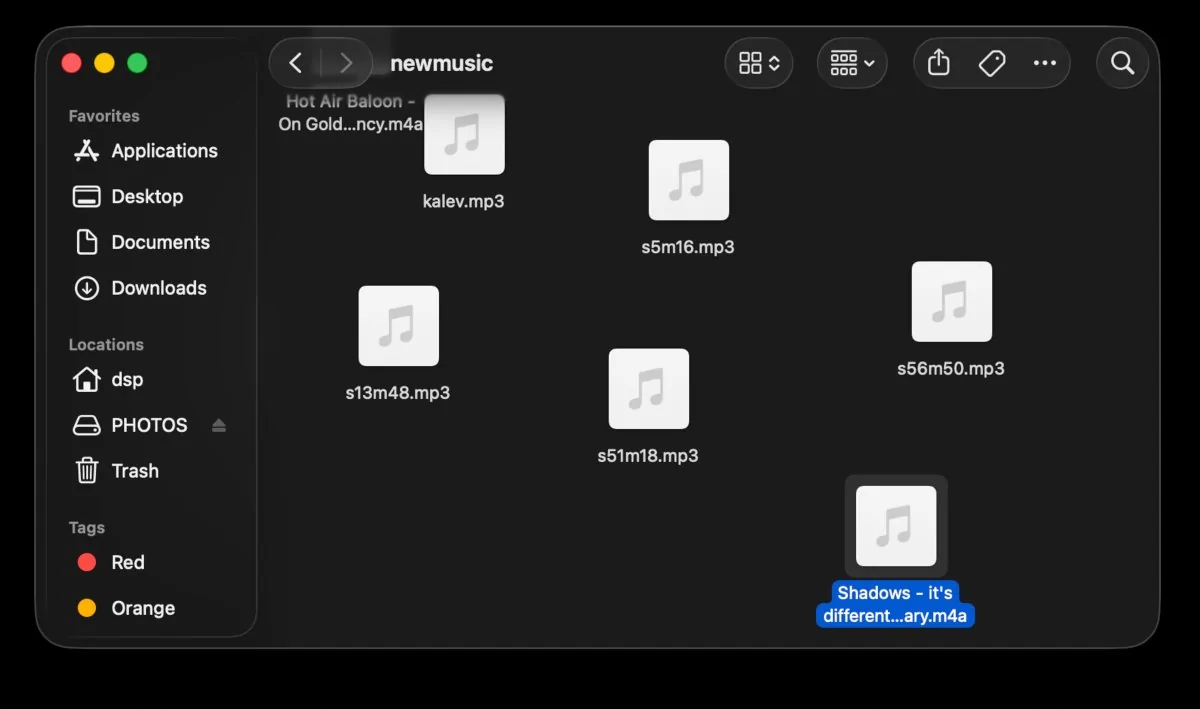
Tip - rename the file so it ends in .m4a. Even a video .mp4 will play as long as your car sees .m4a.

Even if your computer tries to warn you, this is just on the USB stick anyway, keep a copy of your files somewhere else.
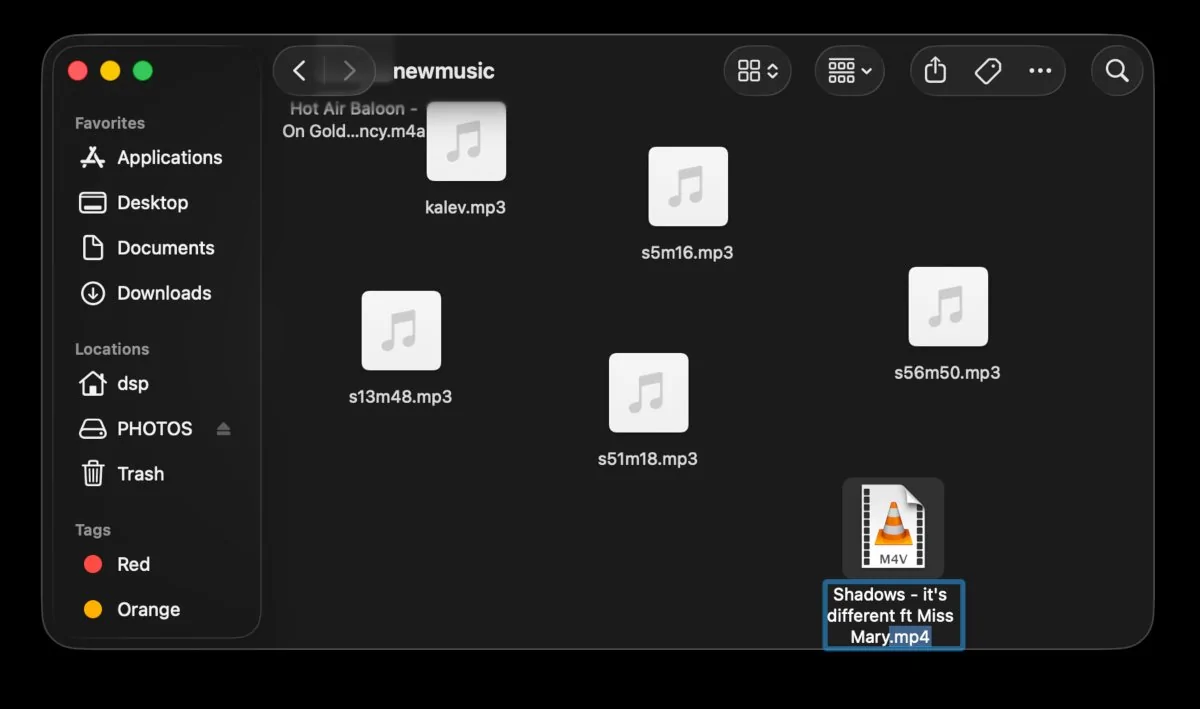
Acura Integra Integra Tech Tips: weird and wonderful things your car does renaming1

Rename the file

Acura Integra Integra Tech Tips: weird and wonderful things your car does renaming2

Yes, do it

Acura Integra Integra Tech Tips: weird and wonderful things your car does renaming3

Looks good.

There's another picture of the dash, the songs show up. But this is my first post, so I can't attach more images.

Good luck, and have fun!
Sponsored
 
OP
OP

dhubbard

Member
Joined
Jul 27, 2026
Threads
1
Messages
6
Reaction score
4
Location
Texas
Car(s)
2024 Integra
Sweet success looks something like this:
Acura Integra Integra Tech Tips: weird and wonderful things your car does yesm4a
 
OP
OP

dhubbard

Member
Joined
Jul 27, 2026
Threads
1
Messages
6
Reaction score
4
Location
Texas
Car(s)
2024 Integra
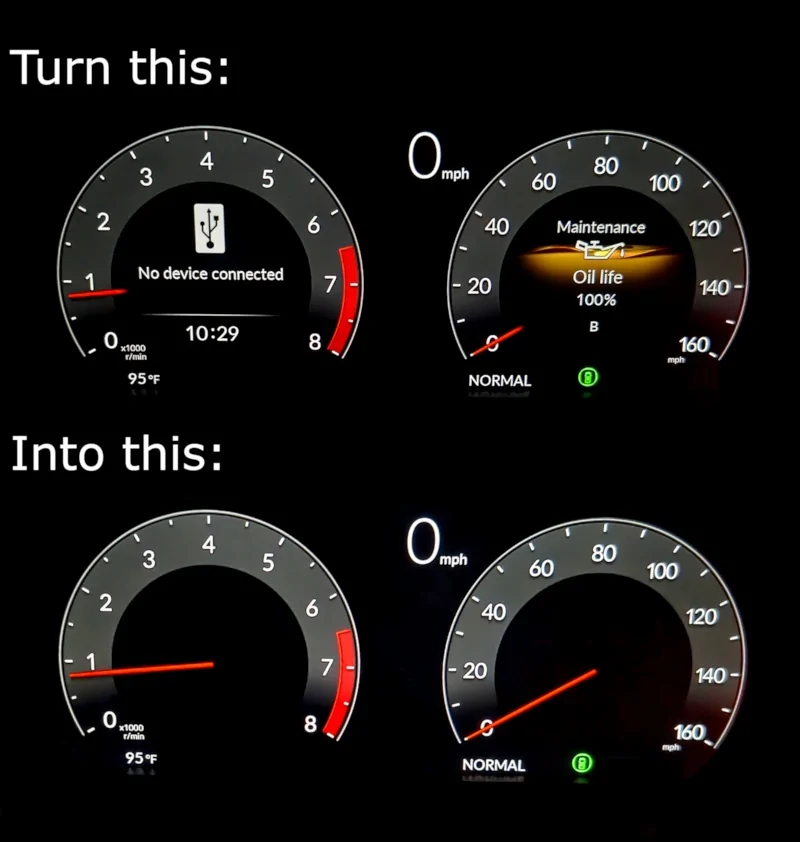
Kind of nice for a long road trip, here's a tech tip to see less clutter.
Acura Integra Integra Tech Tips: weird and wonderful things your car does speedometer


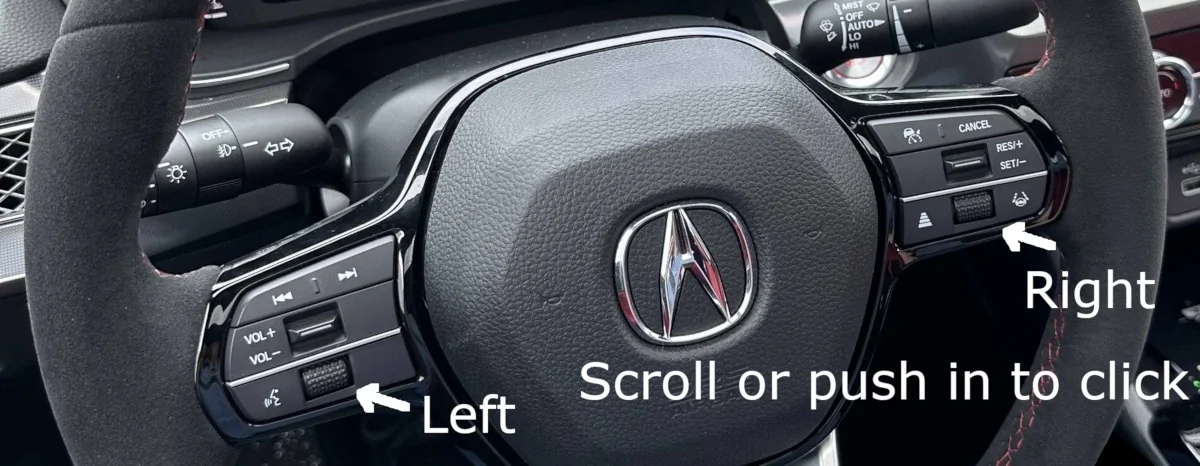
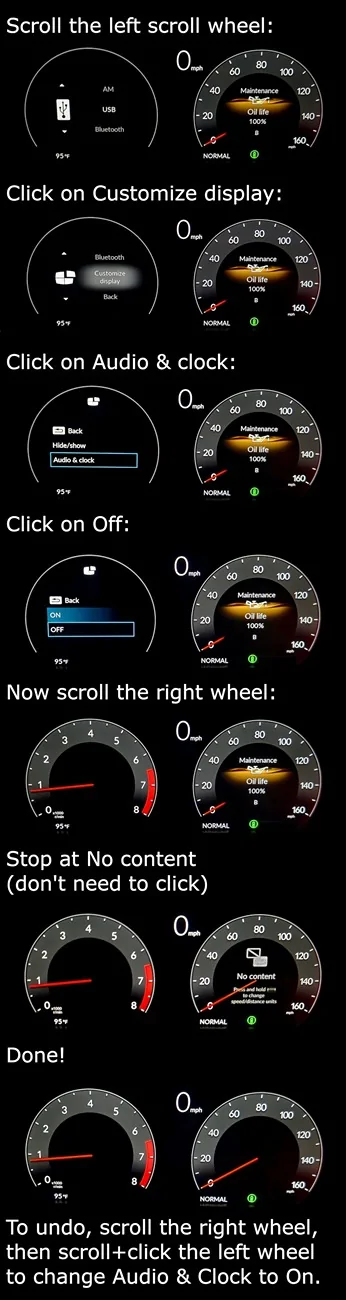
It's done using the two little scroll wheels on the steering wheel.
Acura Integra Integra Tech Tips: weird and wonderful things your car does steeringwheel


Acura Integra Integra Tech Tips: weird and wonderful things your car does speedometer-steps
 
OP
OP

dhubbard

Member
Joined
Jul 27, 2026
Threads
1
Messages
6
Reaction score
4
Location
Texas
Car(s)
2024 Integra
This tip will take 3 posts because there are a lot of steps.

The ELS Audio system uses different audio processing in different modes. Even the volume knob setting is saved separately.
  1. Bluetooth audio
  2. Apple CarPlay
  3. Android Auto
Here's how to switch between Bluetooth audio and the thing the ELS Audio system calls "Smartphone Connect," meaning Apple CarPlay or Android Auto, or both.

Whichever you are using, Apple CarPlay or Android Auto, the first thing your phone has to do is bluetooth pairing.

If that's not confusing enough, you can also just plug in a USB cable to the square USB-A port and use it that way. Let's skip the USB cable method for now.

Bluetooth Pairing Steps:
  1. Turn on bluetooth on your phone
  2. On your phone, go to System Settings > Add a new bluetooth connection
  3. On the car screen, navigate to the pairing screen (explained below)
  4. Choose "Acura Integra" on your phone
  5. Check the pairing code and choose "Pair" on your phone
  6. Click "Don't Share" when your phone asks for your contacts
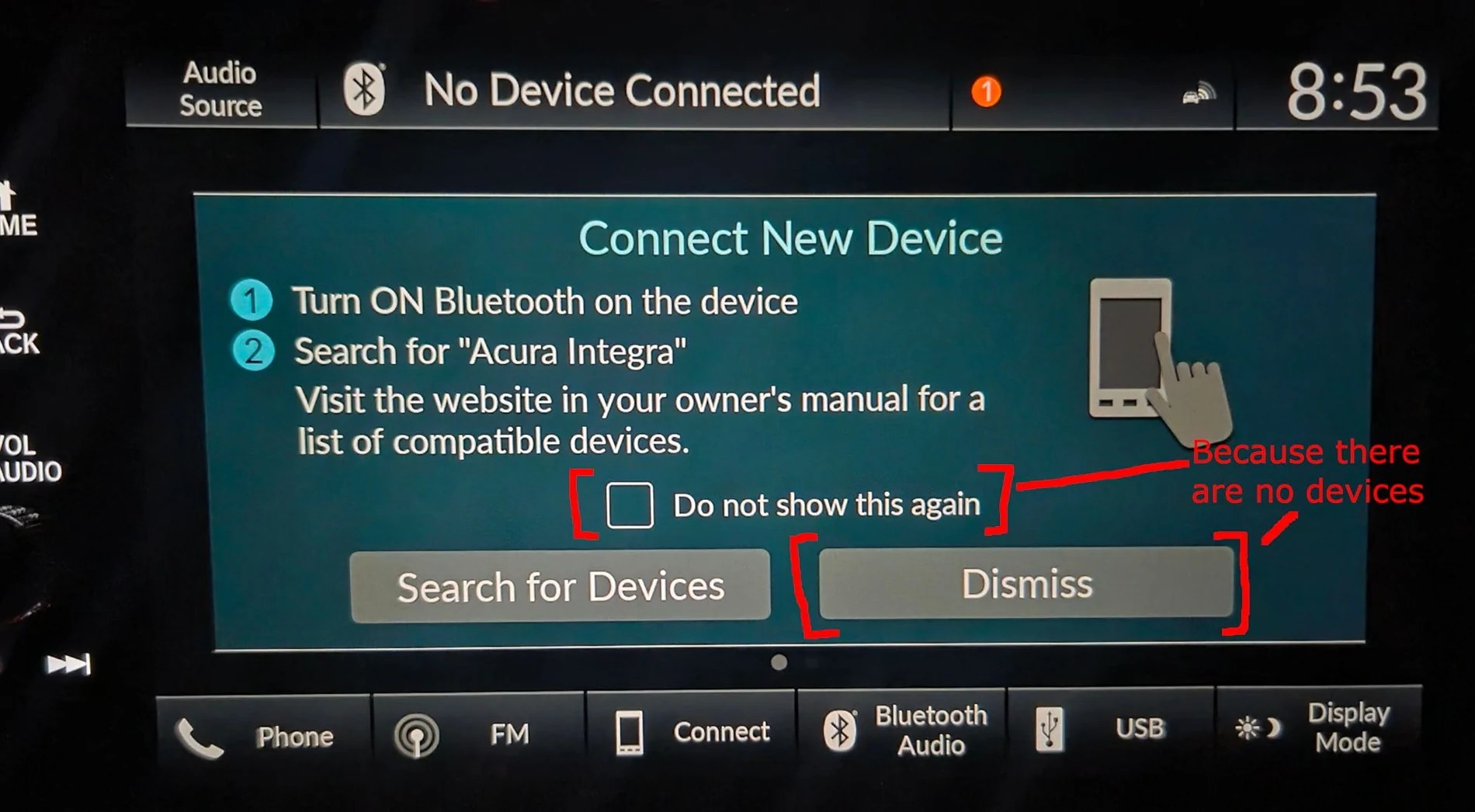
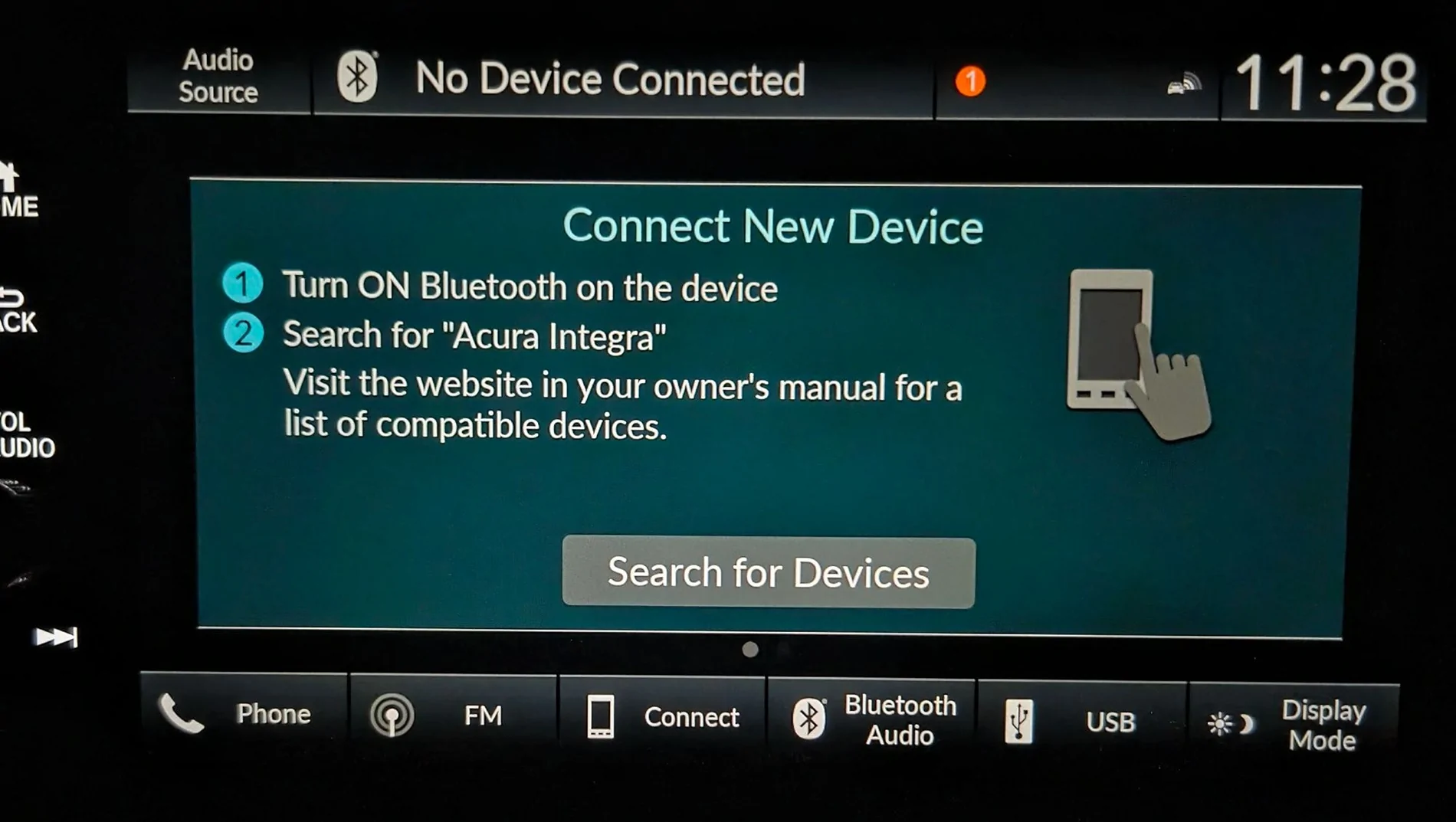
If the car has zero phones paired, like if you just deleted them all or if it's the first time you turned the car on, ELS Audio system pops this up:
Acura Integra Integra Tech Tips: weird and wonderful things your car does 1-no-devices


On any other normal day, you can hold down the Voice Command button on the steering wheel for about a second. The car will pop up the bluetooth pairing screen.
Acura Integra Integra Tech Tips: weird and wonderful things your car does a-hold-voice-command-button


You should already have your phone scanning to add a new bluetooth connection. "Acura Integra" will pop up - click on it.

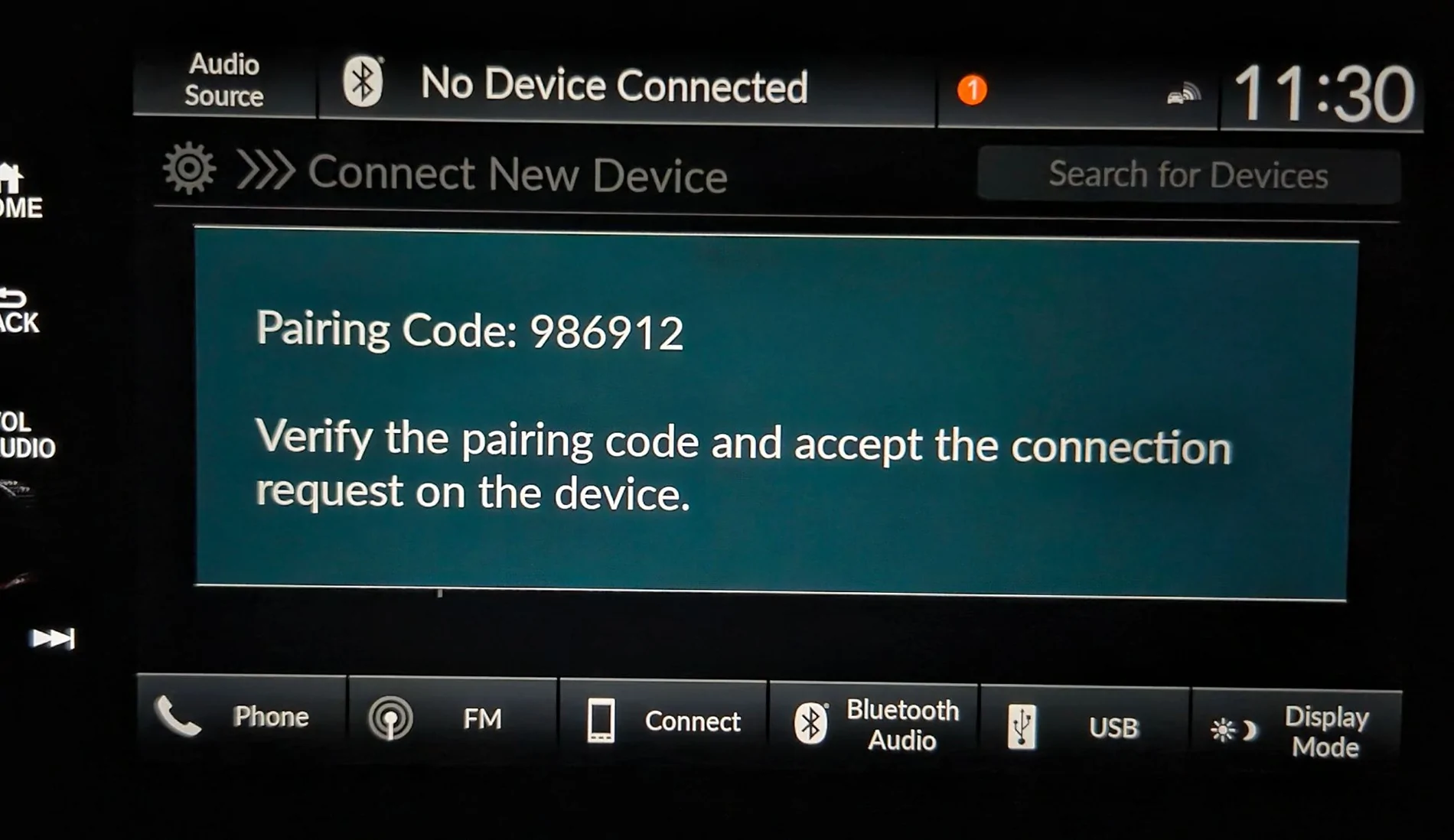
Your phone gives you a pairing code. It should match what the car shows.
Acura Integra Integra Tech Tips: weird and wonderful things your car does b-pairing-cod


Click "Pair" on your phone.

Click "Don't Share" when it asks to download your contacts.

That's it for bluetooth. If your phone was playing music or on a phone call already, you will hear it through the ELS Audio system.

Now, if you have Apple CarPlay, use the next post. If you have Android Auto, it's the 3rd post.

Tip #1: If you didn't start your phone scanning before the car screen, it's ok. On your phone, make sure to turn on bluetooth, then go to System Settings > Add a new bluetooth connection. Your phone probably calls it something slightly different.

Tip #2: If you can't find "Acura Integra," double check the ELS Audio system is showing the screen above. You may have to hit the Back and Home buttons to get out of any screen. Then start the bluetooth process over again

Tip #3: If you just deleted your phone from the list of the car's paired devices, it will try to re-pair immediately. Hit cancel once.
 
Last edited:
OP
OP

dhubbard

Member
Joined
Jul 27, 2026
Threads
1
Messages
6
Reaction score
4
Location
Texas
Car(s)
2024 Integra
Apple CarPlay:

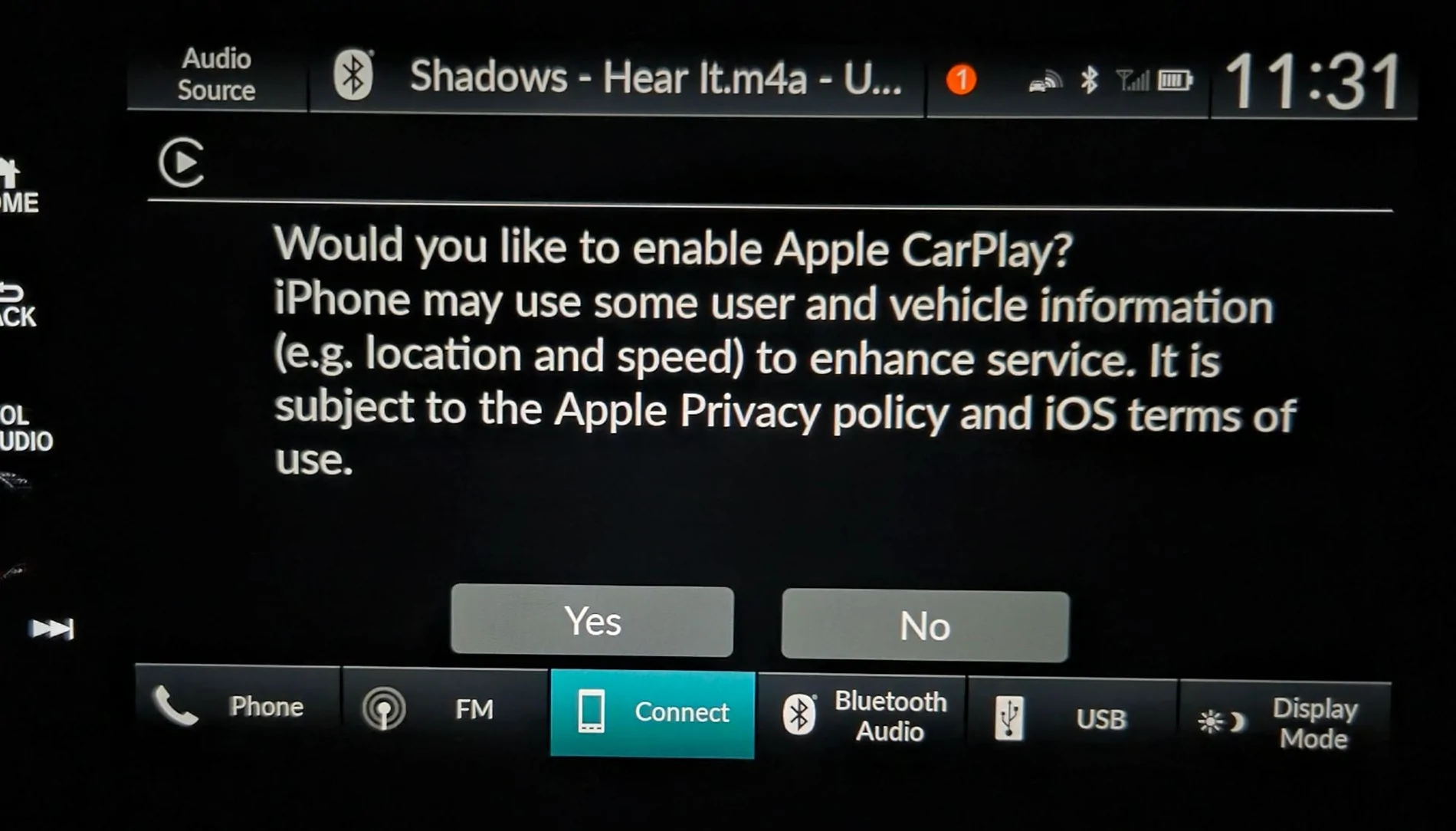
Tip: if you touch No at this screen, you get a Bluetooth connection, even though the car will complain "Connection failed." You can pick No and bluetooth will work. In fact bluetooth is already working before you even make a choice: look at the top row in this screen, and notice it's already playing a track.
Acura Integra Integra Tech Tips: weird and wonderful things your car does c-carplay-already-has-bt


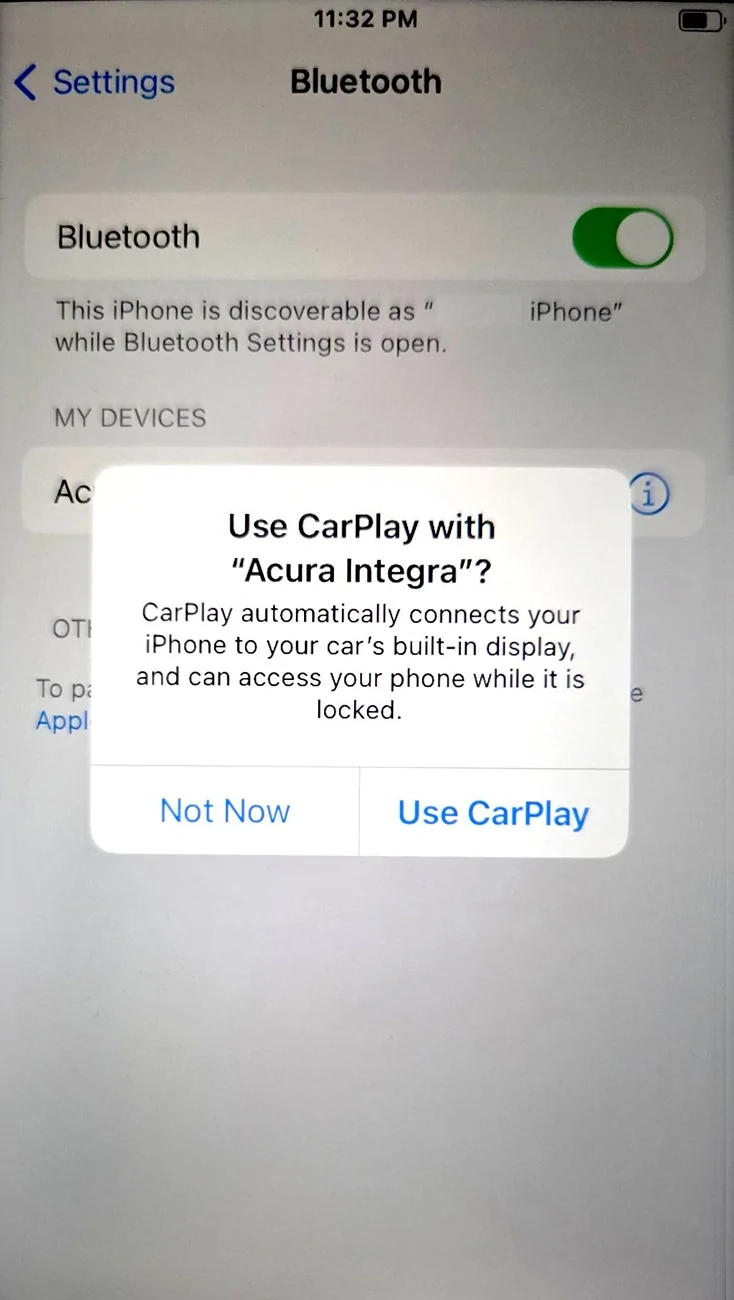
If you touch Yes to enable Apple CarPlay, you also have to confirm to your phone that you do want it:
Acura Integra Integra Tech Tips: weird and wonderful things your car does d-carplay-question


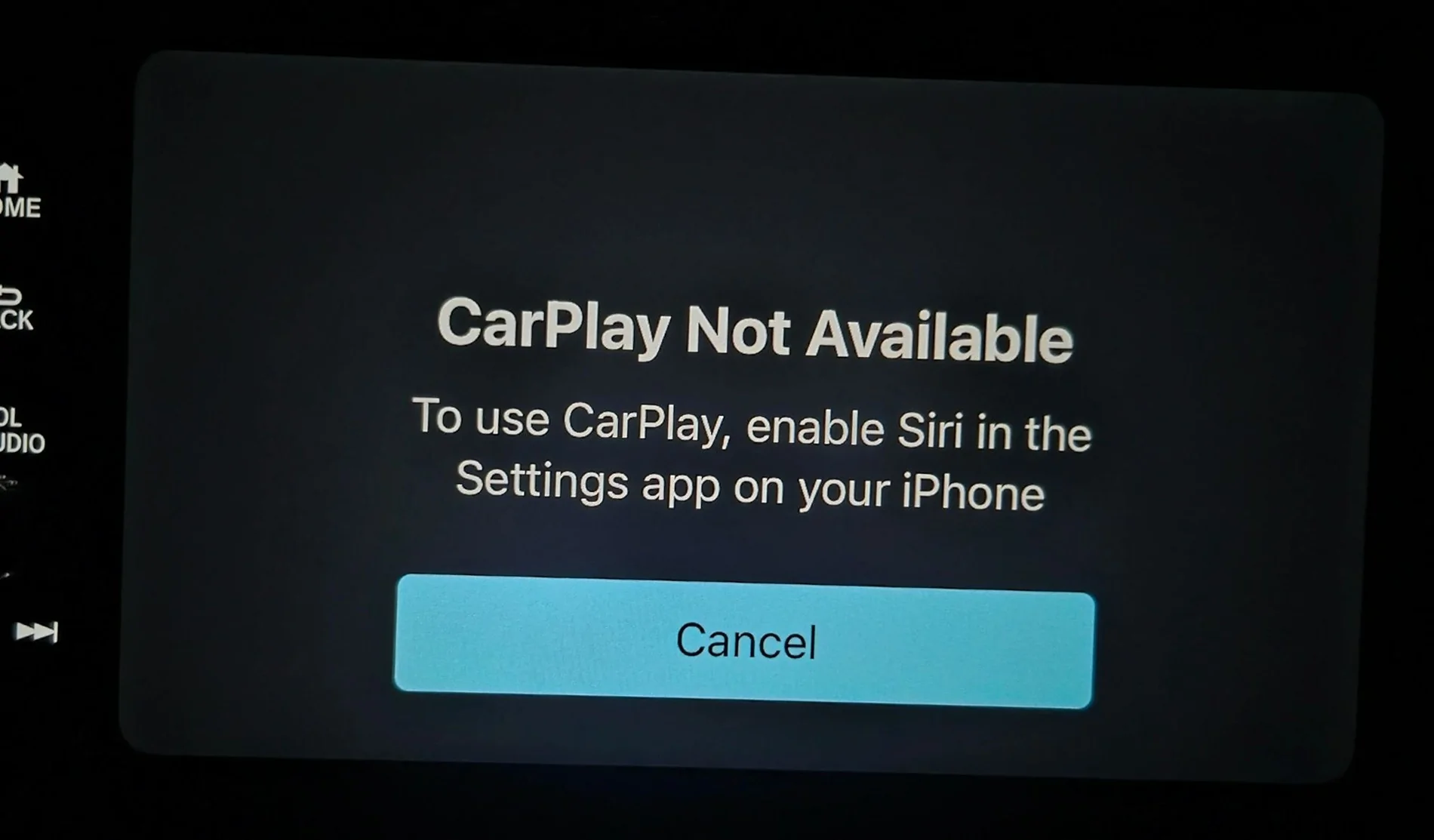
Yeah, and Apple CarPlay sits at this screen and won't do anything until you enable Siri.
Acura Integra Integra Tech Tips: weird and wonderful things your car does e-enable-siri


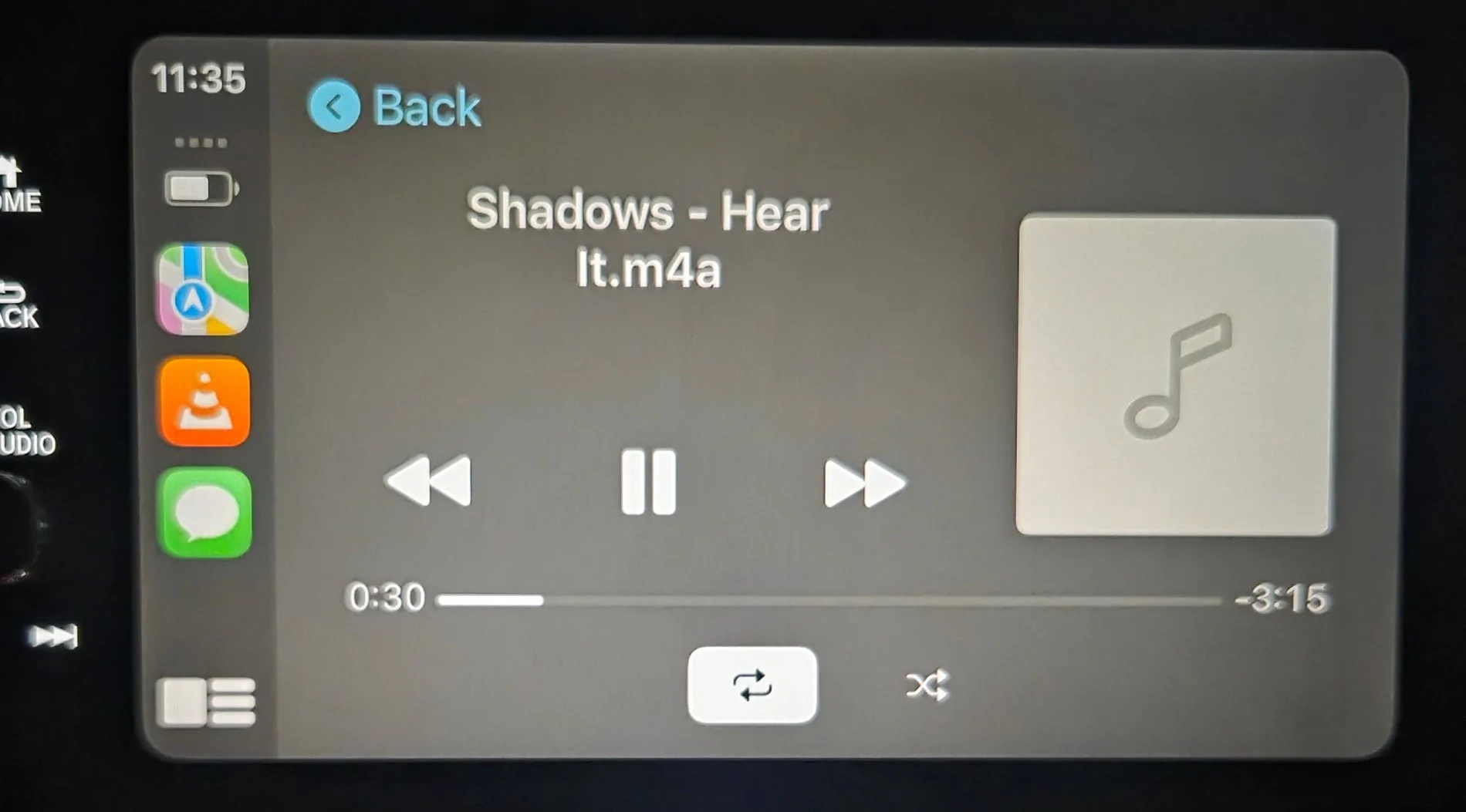
If you made it this far, now your car has wireless Apple CarPlay enabled.
Acura Integra Integra Tech Tips: weird and wonderful things your car does f-carplay-playing


Tip #1: To go back and do something else, like using plain Bluetooth instead, do this:
  1. open General Settings > Smartphone Connection > Apple CarPlay
  2. Tap on the name of your device
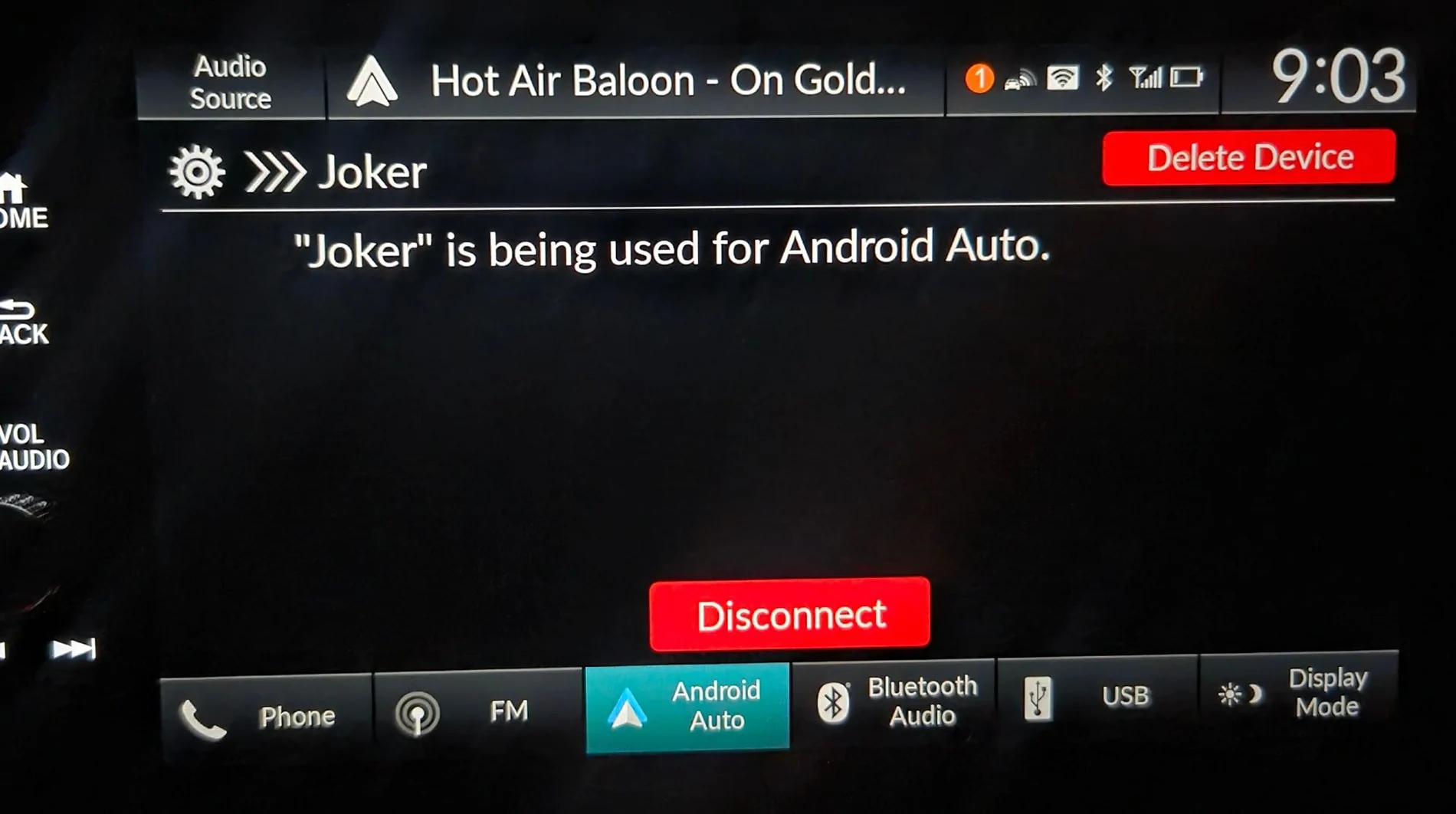
  3. Delete device
  4. For some odd reason, the car will immediately try to pair again. So your phone will immediately ask you to verify a new pairing code - you can click Cancel once and it will go away.
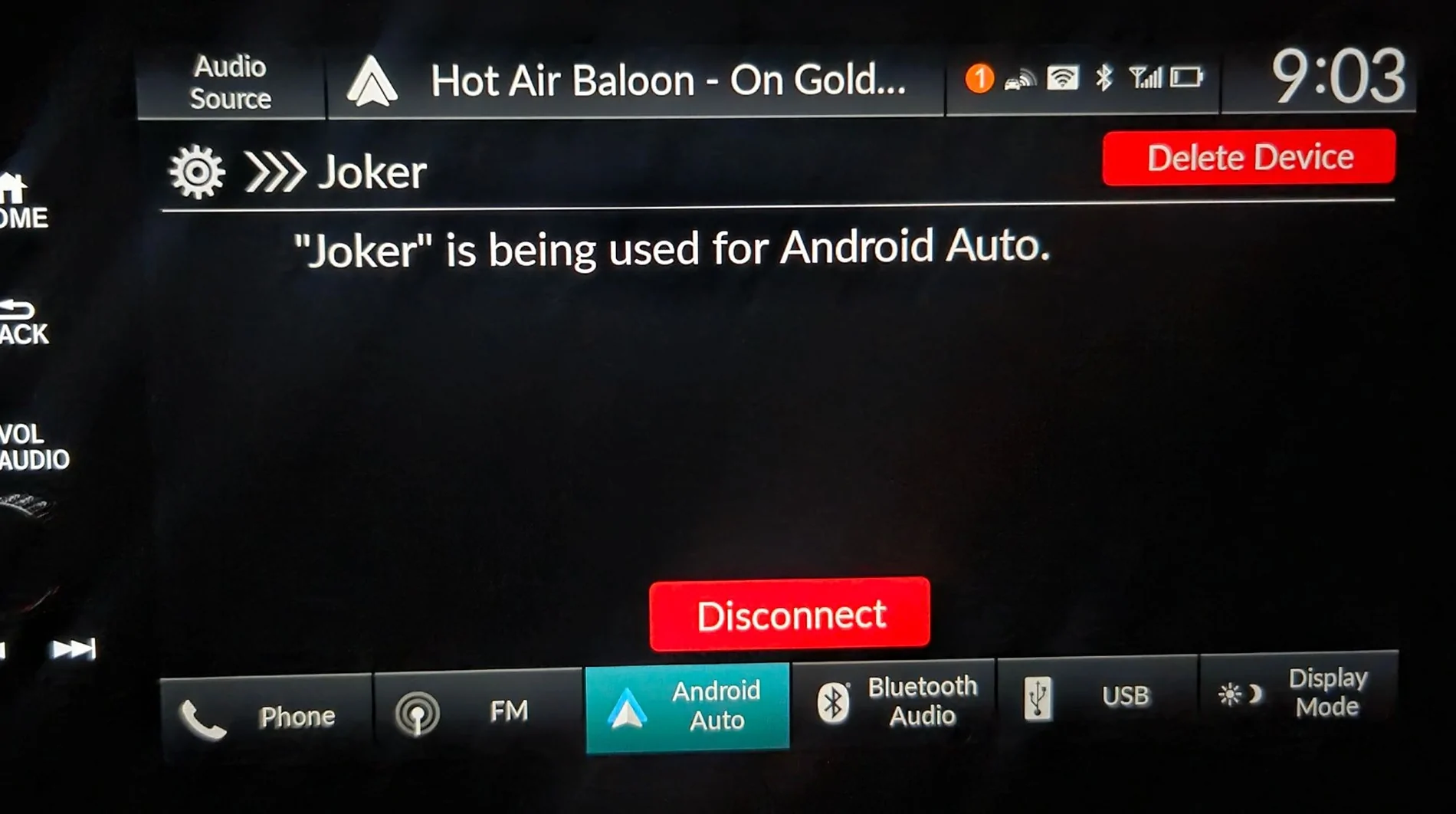
This picture is for Android Auto but the Delete device button is in the same place and it's big and red.
Acura Integra Integra Tech Tips: weird and wonderful things your car does 8-how-to-get-out


Tip #2: If your device is not in the list, it might be you unpaired using your phone's bluetooth settings while in the car. The phone can tell the car to delete the device.

Tip #3: There is a limit of 6 devices that can connect.
 
Last edited:
OP
OP

dhubbard

Member
Joined
Jul 27, 2026
Threads
1
Messages
6
Reaction score
4
Location
Texas
Car(s)
2024 Integra
Android Auto:

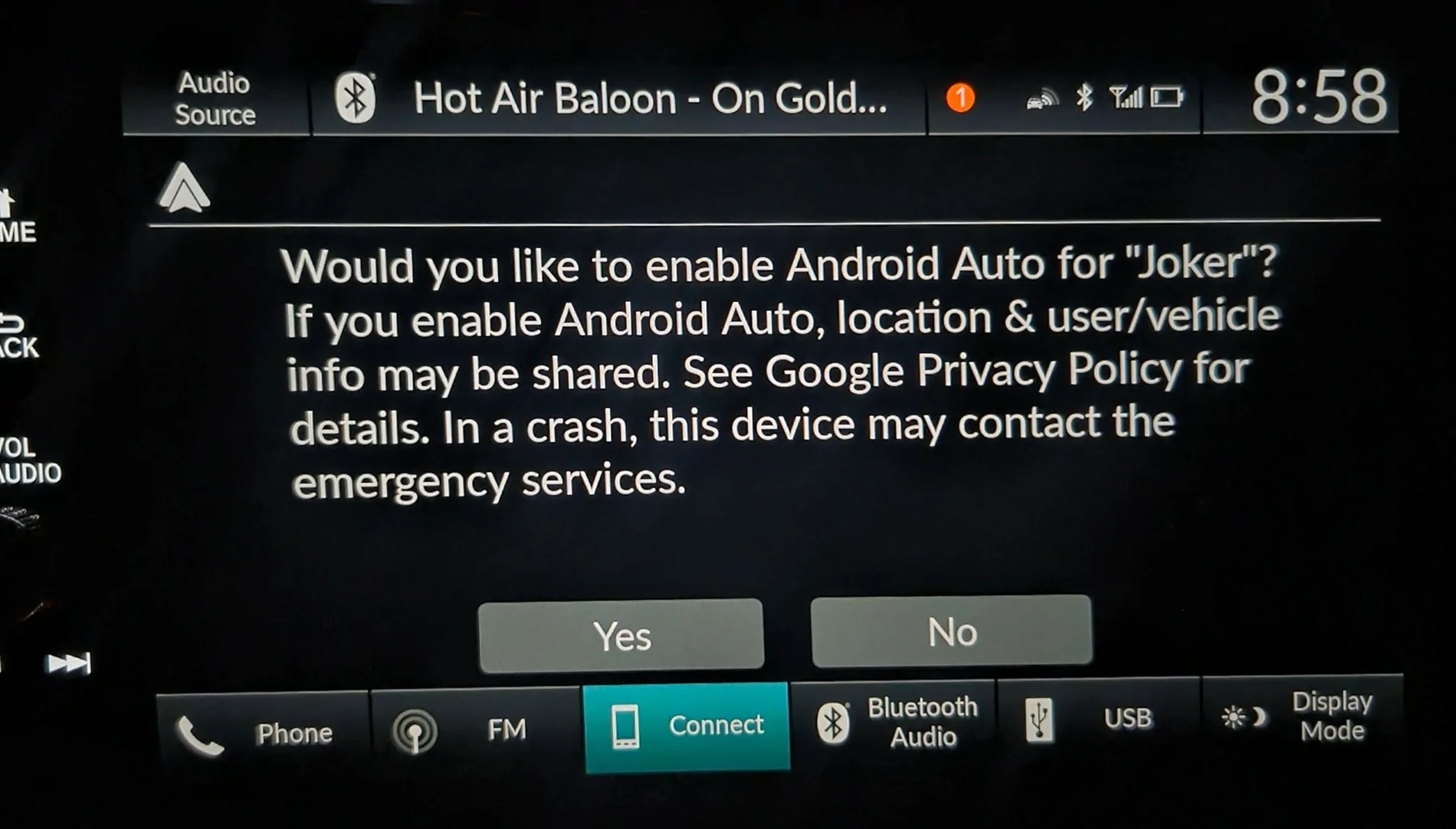
Tip: if you touch No at this screen, you get a Bluetooth connection, even though the car will complain "Connection failed." You can pick No and bluetooth will work. In fact bluetooth is already working before you even make a choice: look at the top row in this screen, and notice it's already playing a track.
Acura Integra Integra Tech Tips: weird and wonderful things your car does 5-choice-already-has-bt


If you touch yes, Android Auto looks like this:
Acura Integra Integra Tech Tips: weird and wonderful things your car does 6-start-andaut


Just kidding. The screen changes to this.
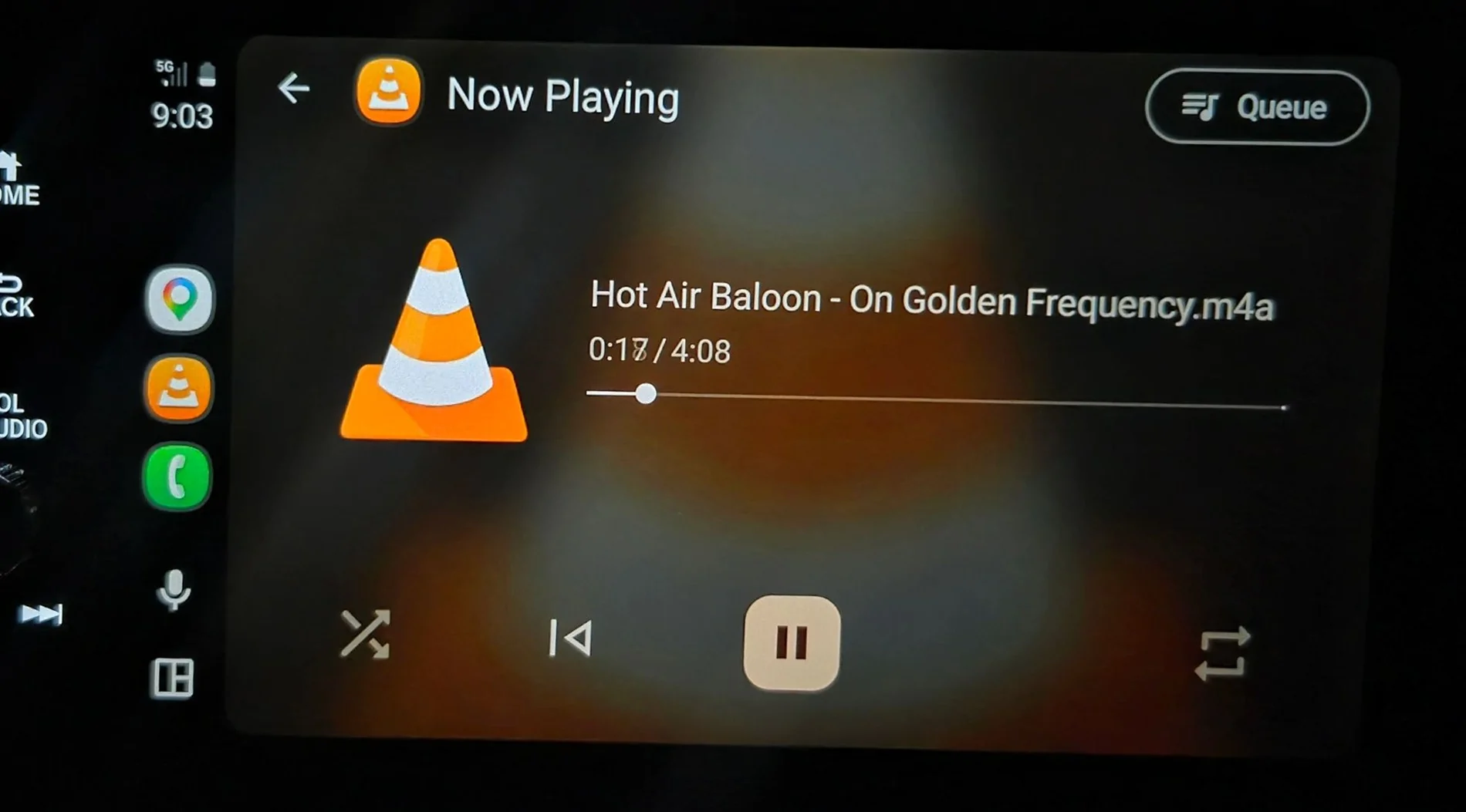
Acura Integra Integra Tech Tips: weird and wonderful things your car does 7-in-andaut


Tip #1: To go back and do something else, like using plain Bluetooth instead, do this:
  1. open General Settings > Smartphone Connection > Android Auto
  2. Tap on the name of your device
  3. Delete device
  4. For some odd reason, the car will immediately try to pair again. So your phone will immediately ask you to verify a new pairing code - you can click Cancel once and it will go away.
Acura Integra Integra Tech Tips: weird and wonderful things your car does 8-how-to-get-out


Tip #2: Android Auto, Apple CarPlay, and plain bluetooth all have their own volume setting. When you switch between them, check the volume.
Sponsored

 
Last edited:


Top