dhubbard
New Member
- Thread starter
- #1
Hey! I'm getting used to my car and had some wacky experiences. Here's one I thought might be useful to everyone.
Your ELS Audio system can play audio from a USB stick. But it only displays files with "the right" extension. For example I had this on my usb stick:

Files like "On Golden Frequency.mp4" and "it's different ft Miss Mary.mp4" don't show up!
But there's a trick to make them play just fine.

Tip - rename the file so it ends in .m4a. Even a video .mp4 will play as long as your car sees .m4a.
Even if your computer tries to warn you, this is just on the USB stick anyway, keep a copy of your files somewhere else.
Rename the file
Yes, do it
Looks good.
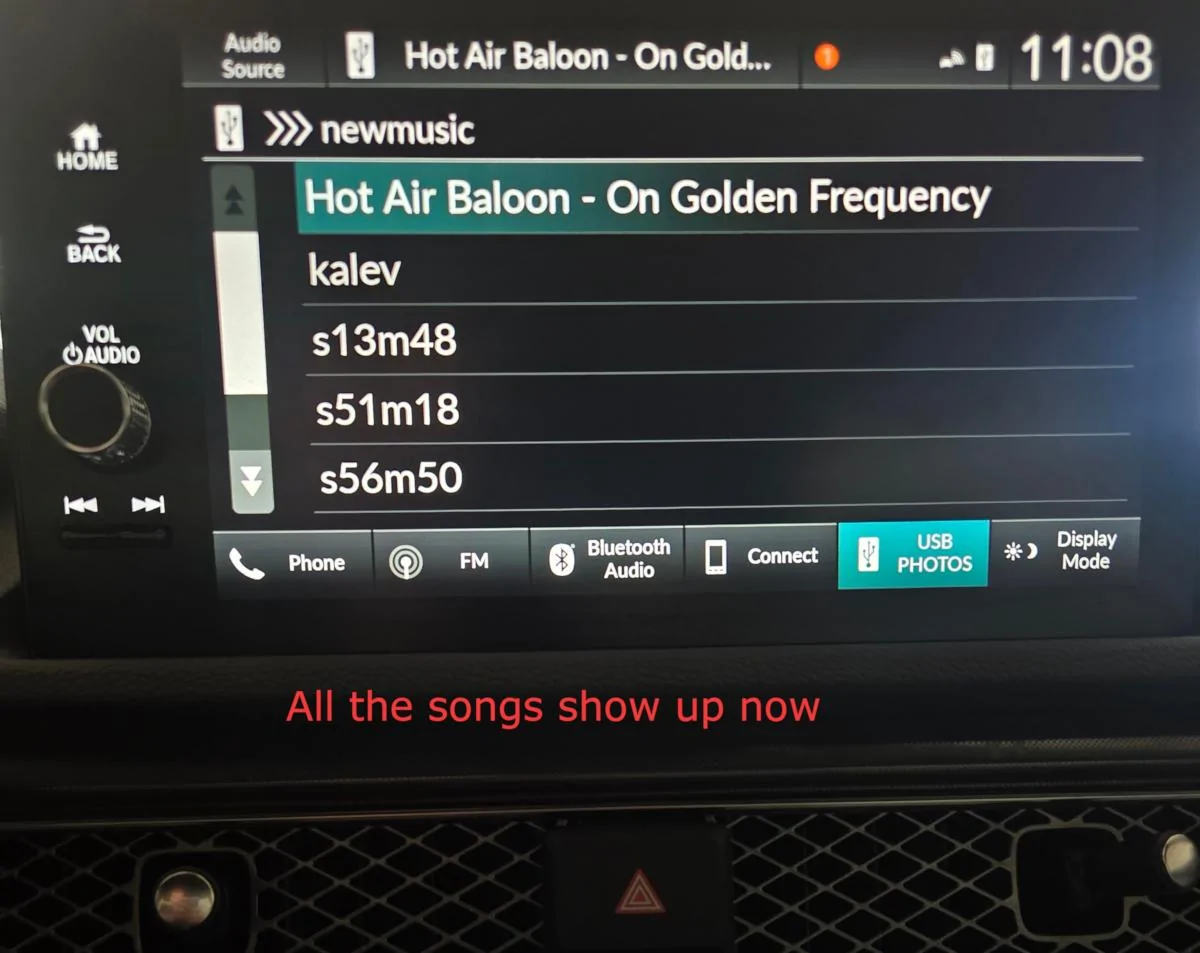
There's another picture of the dash, the songs show up. But this is my first post, so I can't attach more images.
Good luck, and have fun!
Your ELS Audio system can play audio from a USB stick. But it only displays files with "the right" extension. For example I had this on my usb stick:
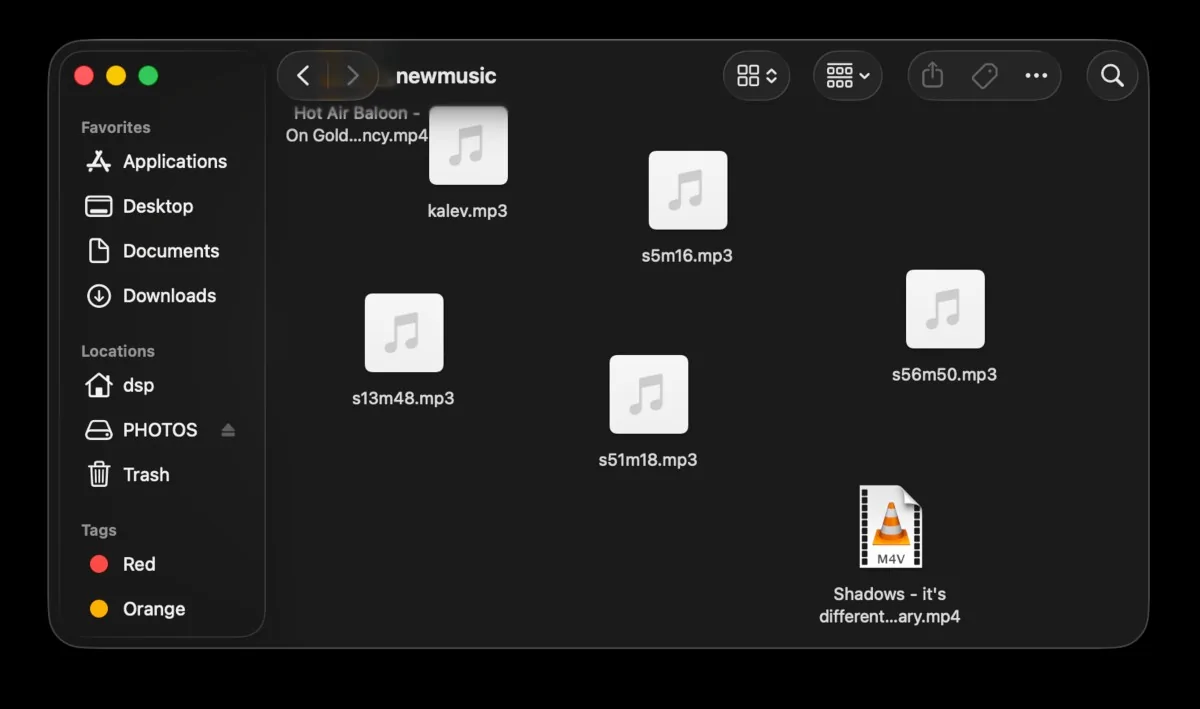
Files like "On Golden Frequency.mp4" and "it's different ft Miss Mary.mp4" don't show up!
But there's a trick to make them play just fine.
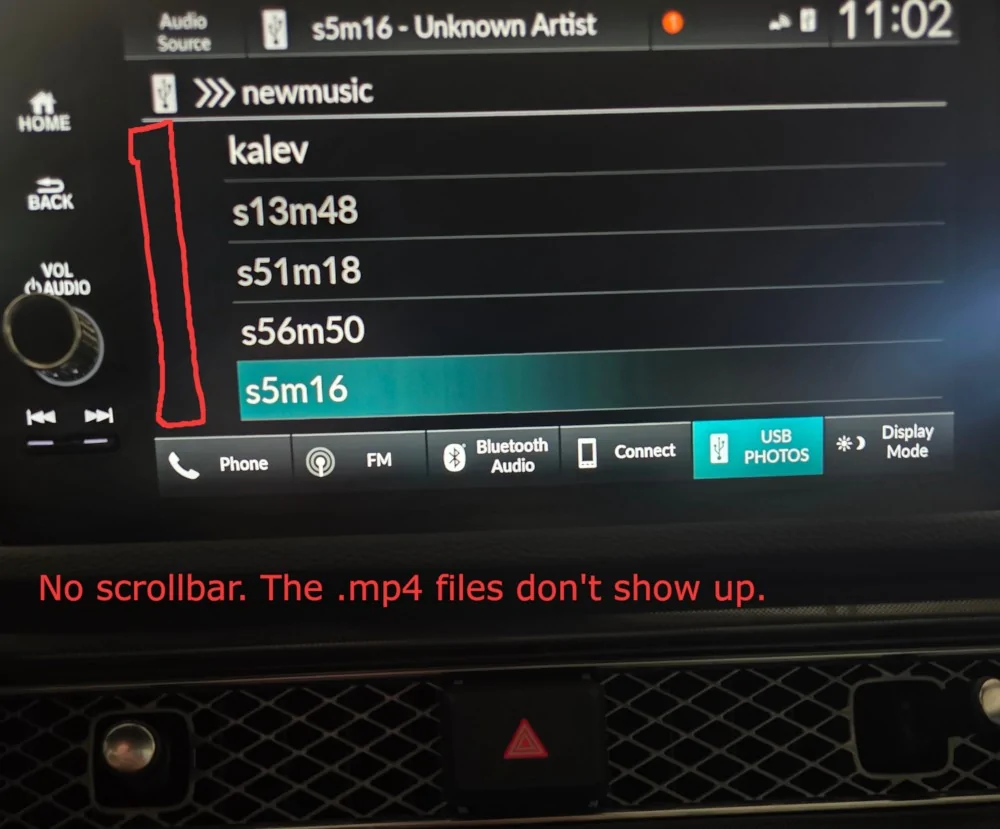
Tip - rename the file so it ends in .m4a. Even a video .mp4 will play as long as your car sees .m4a.
Even if your computer tries to warn you, this is just on the USB stick anyway, keep a copy of your files somewhere else.
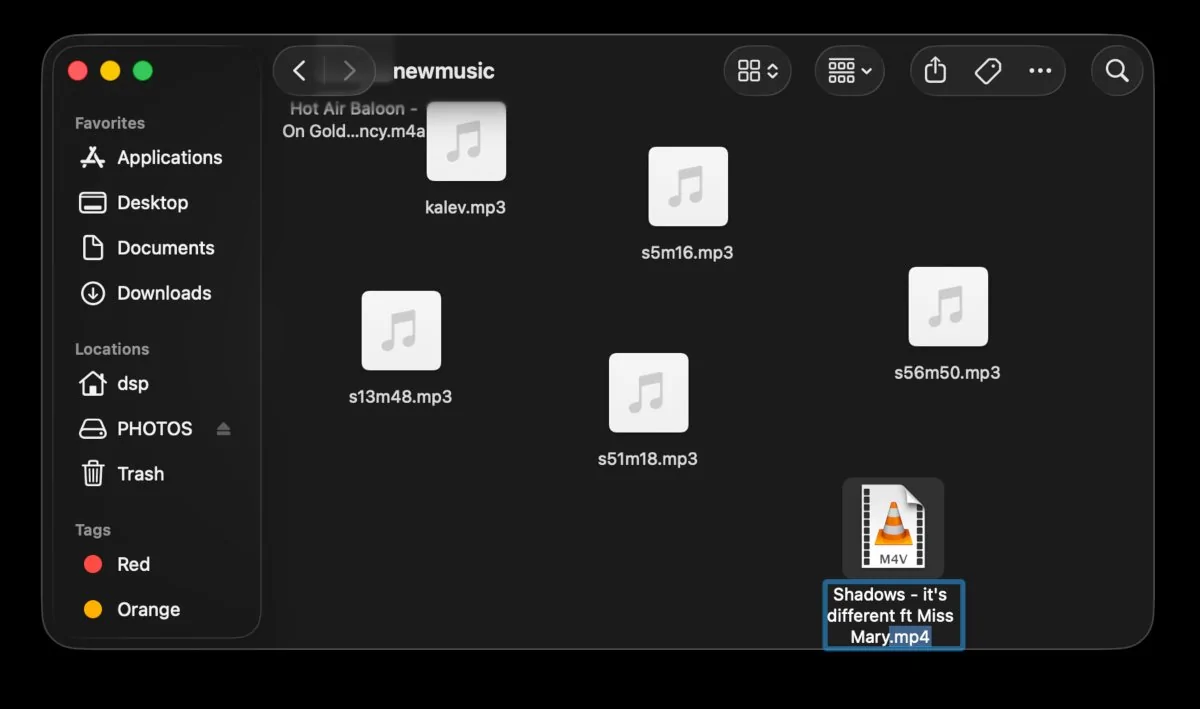
Rename the file
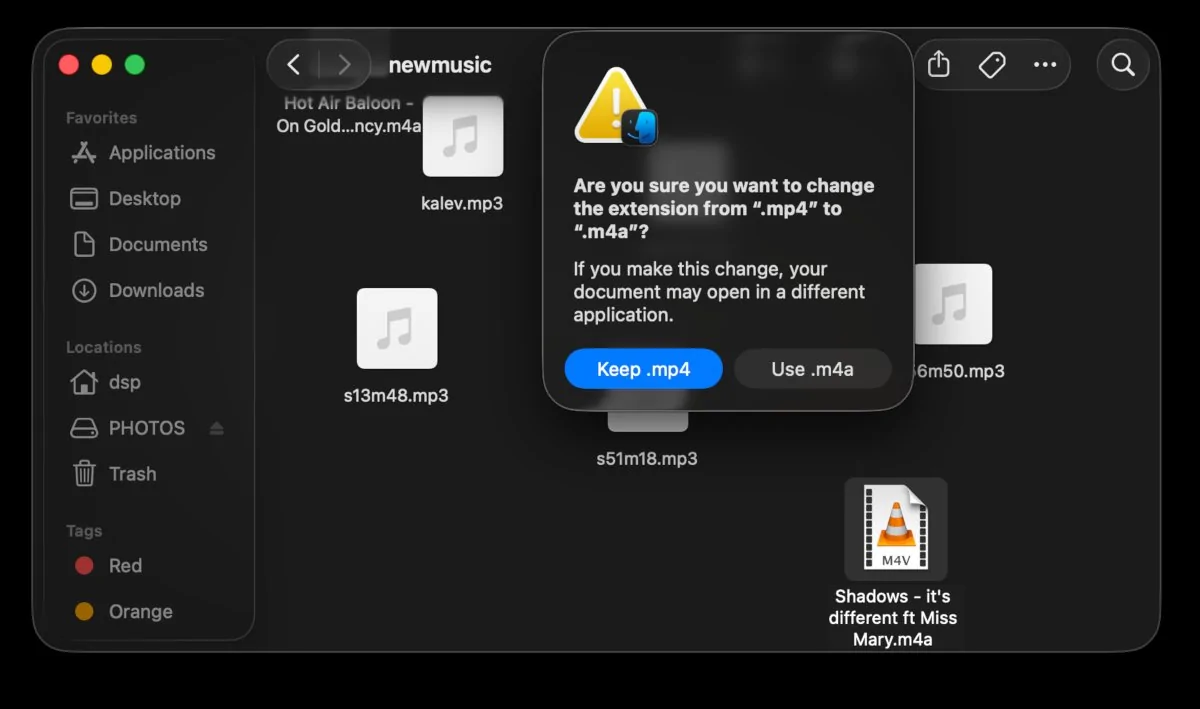
Yes, do it
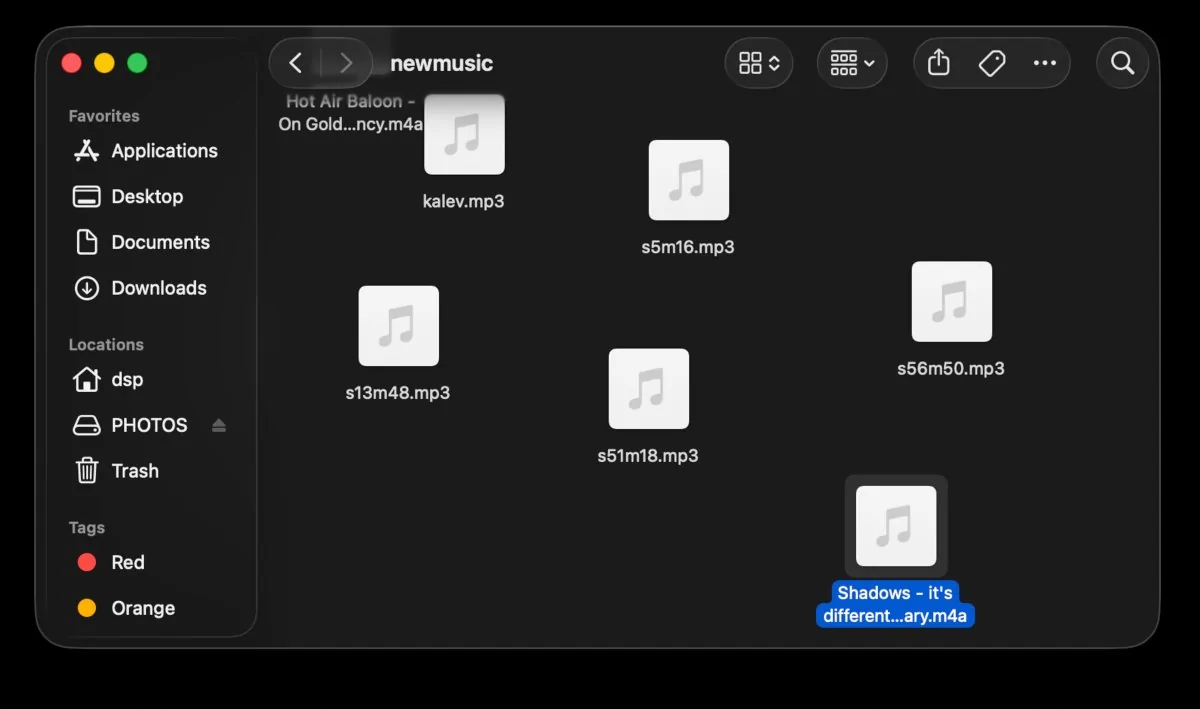
Looks good.
There's another picture of the dash, the songs show up. But this is my first post, so I can't attach more images.
Good luck, and have fun!
Sponsored