
Sponsored


Integra Type-S / A-Spec Tech Gauge Pod – Limited Run Announcement

OP
OP
justa335i

justa335i

Member
First Name
Alex
Joined
Sep 12, 2024
Threads
3
Messages
37
Reaction score
57
Location
North Port, Florida
Car(s)
2025 Acura Integra Type S, 2024 Acura Integra A-Spec, 2006 Mazda RX8 Shinka
Remaining Slots Available (made to order):
5 - Black
5 - Blue
5 - Red

Also started production yesterday! Will start shipping orders this Friday!
I cant wait to see everyone's photos with them installed!


Acura Integra Integra Type-S / A-Spec Tech Gauge Pod – Limited Run Announcement 34441e24-dd8b-4a11-be45-5e8c11852118


another question, how did you do the wiring behind the gauge cluster? did you remove the wireless charger?
The wireless charger is still in underneath!
When my new gauges come in, ill post a video showing routing. Its 2 trim pieces removed (only 2 screws in total IIRC).
Sponsored


jaypinto

Member
First Name
Jason
Joined
Dec 31, 2023
Threads
8
Messages
42
Reaction score
36
Location
Vancouver
Car(s)
2024 Integra Type S
Remaining Slots Available (made to order):
5 - Black
5 - Blue
5 - Red

Also started production yesterday! Will start shipping orders this Friday!
I cant wait to see everyone's photos with them installed!
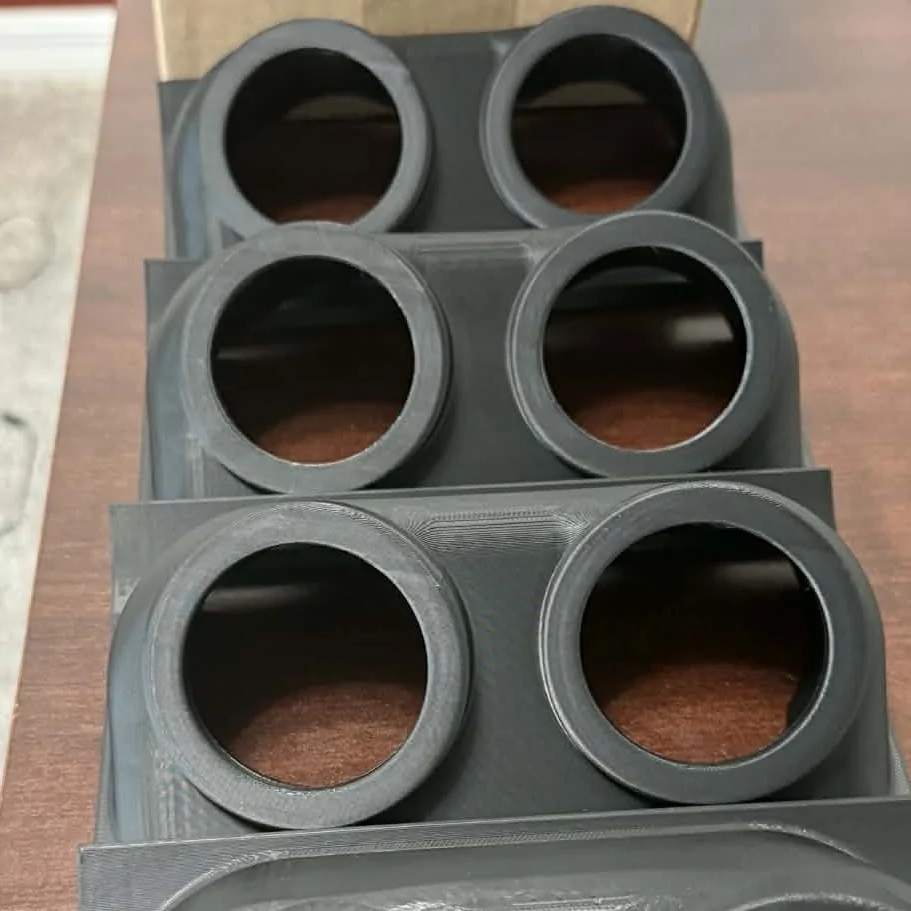

34441e24-dd8b-4a11-be45-5e8c11852118.webp


The wireless charger is still in underneath!
When my new gauges come in, ill post a video showing routing. Its 2 trim pieces removed (only 2 screws in total IIRC).

thanks for the quick reply! Looking forward to seeing your video. In the meantime someone get this man a beer!
 
OP
OP
justa335i

justa335i

Member
First Name
Alex
Joined
Sep 12, 2024
Threads
3
Messages
37
Reaction score
57
Location
North Port, Florida
Car(s)
2025 Acura Integra Type S, 2024 Acura Integra A-Spec, 2006 Mazda RX8 Shinka
I may have gotten a little impatient and went ahead and shipped the current orders 😅

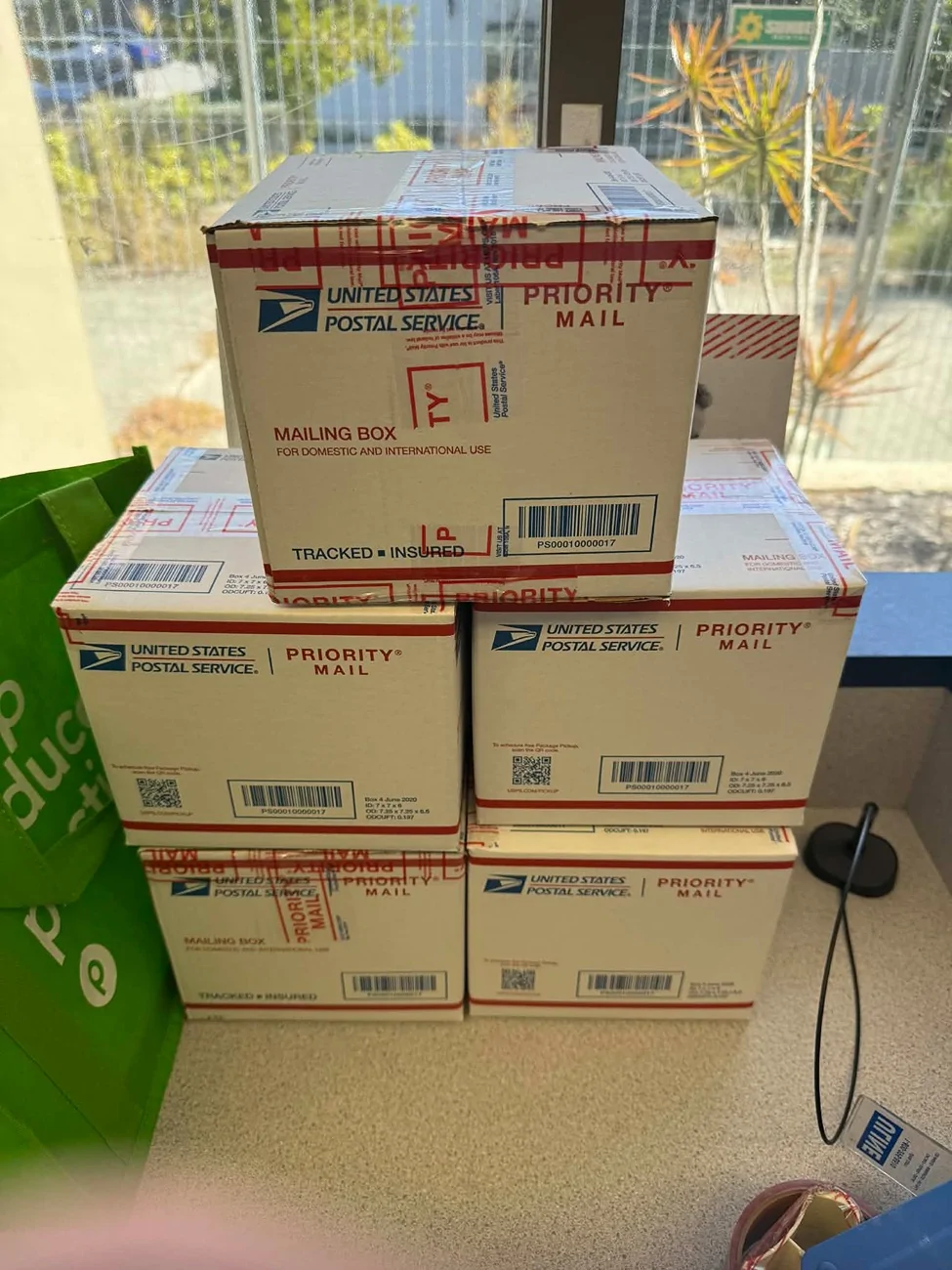
I don’t think anyone will mind — everyone will be receiving their gauge pods on 1/24/26 via USPS.
Tracking numbers will be sent out via PayPal within the next 20 minutes.
Acura Integra Integra Type-S / A-Spec Tech Gauge Pod – Limited Run Announcement 34496fc4-845a-44c7-9bd2-c43b1c6369

I’ll continue accepting orders until Sunday, January 25th.
15 spots left (5 blue, 5 black, and 5 red).
 

jaypinto

Member
First Name
Jason
Joined
Dec 31, 2023
Threads
8
Messages
42
Reaction score
36
Location
Vancouver
Car(s)
2024 Integra Type S
I may have gotten a little impatient and went ahead and shipped the current orders 😅

I don’t think anyone will mind — everyone will be receiving their gauge pods on 1/24/26 via USPS.
Tracking numbers will be sent out via PayPal within the next 20 minutes.
34496fc4-845a-44c7-9bd2-c43b1c6369ee.webp

I’ll continue accepting orders until Sunday, January 25th.
15 spots left (5 blue, 5 black, and 5 red).

Awesome, thanks again! Looking forward to seeing everyone's configuration
 
OP
OP
justa335i

justa335i

Member
First Name
Alex
Joined
Sep 12, 2024
Threads
3
Messages
37
Reaction score
57
Location
North Port, Florida
Car(s)
2025 Acura Integra Type S, 2024 Acura Integra A-Spec, 2006 Mazda RX8 Shinka
Good evening!


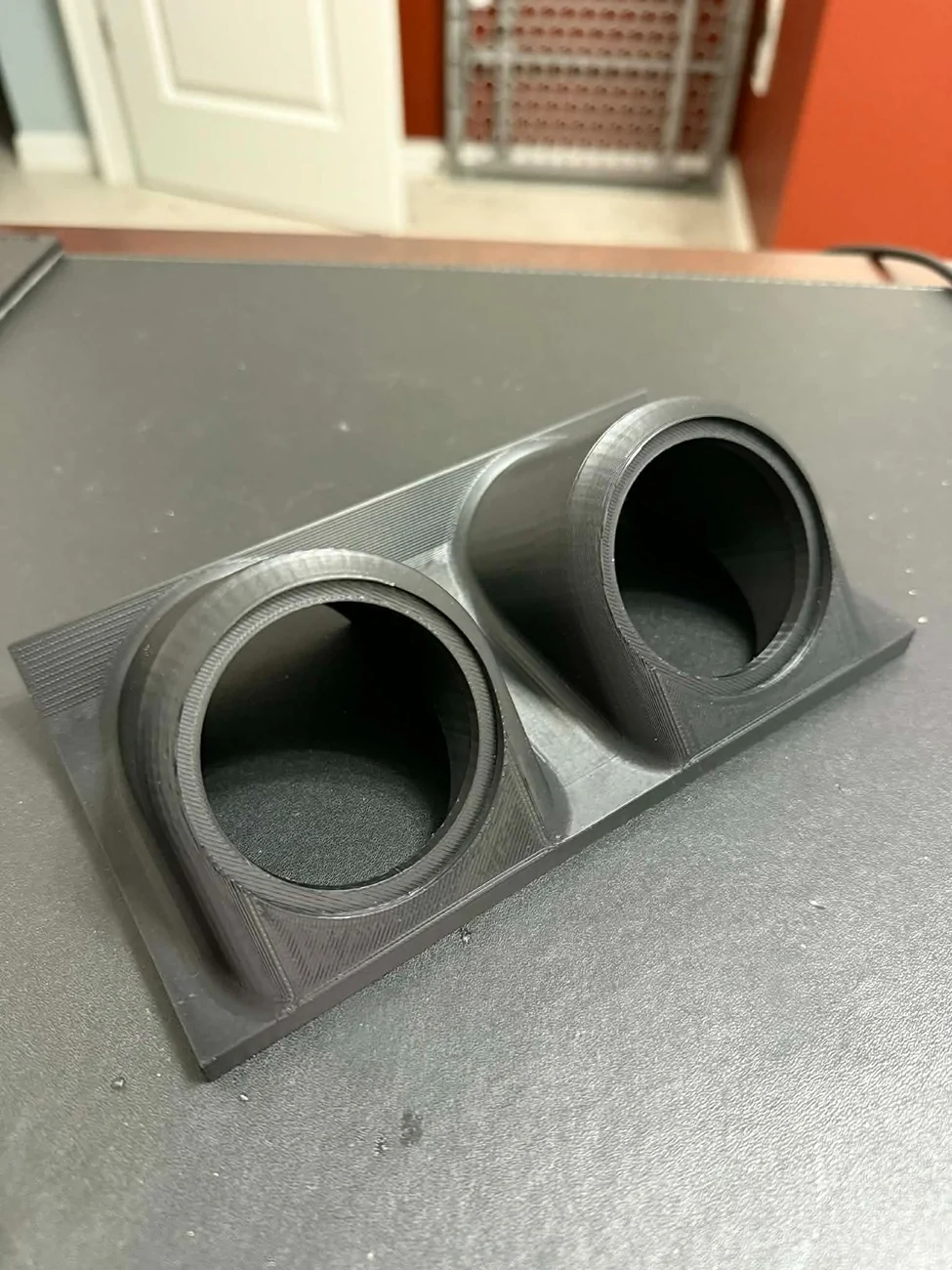
I originally intended on posting a full step-by-step “how to” guide, but during the install I kept forgetting to take photos lol. Sorry about that. I’ve got an upper respiratory infection and my brain is operating at about 60%, but I still wanted to get the info out since the 5 people who ordered will have theirs arriving in the mail. Also, in my stupidity, i accidentally used an old version of the pod, so it looks different than the ones sent out.


One note before starting:
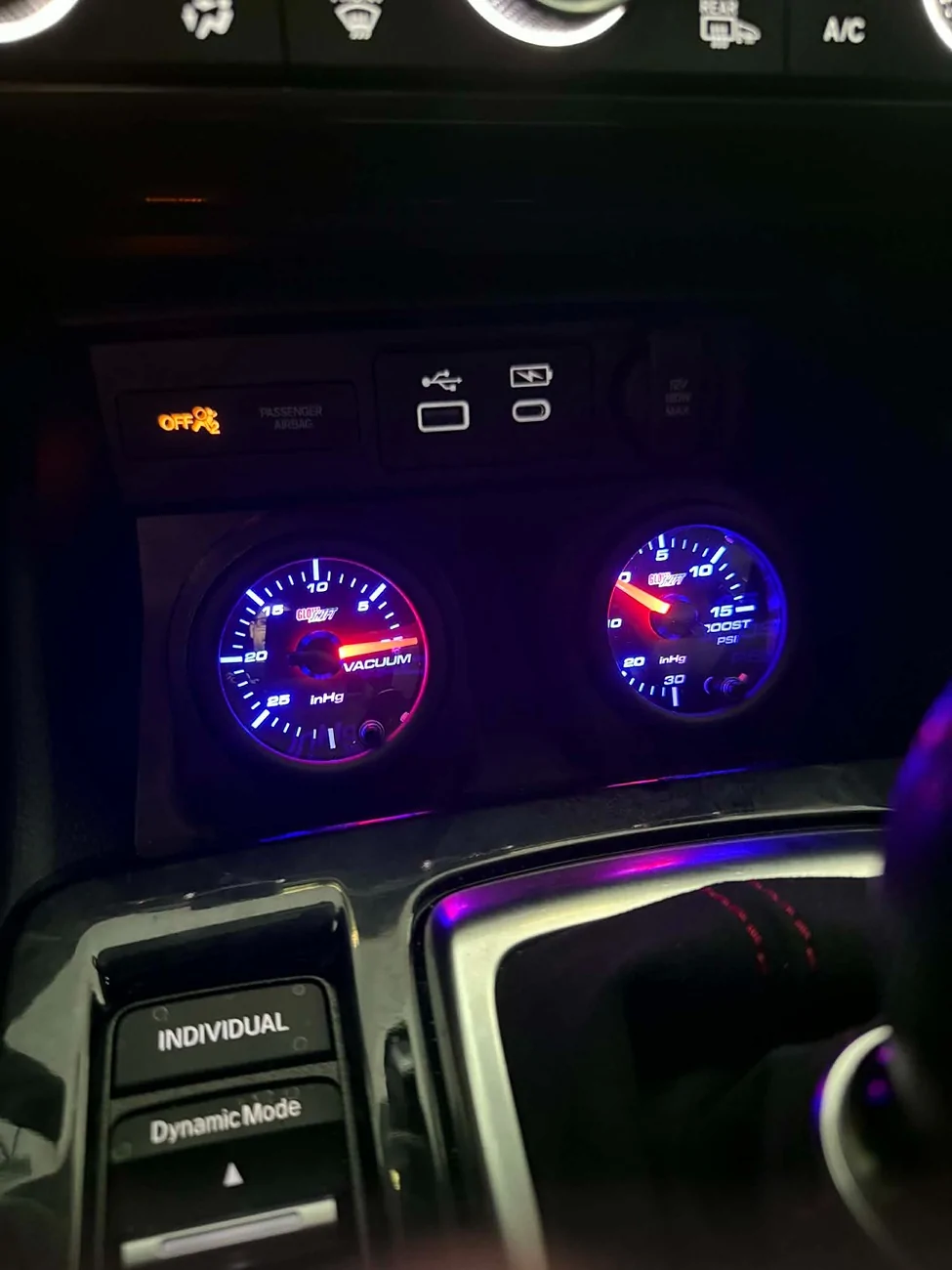
You’ll see I have a vacuum gauge AND a boost gauge installed. Amazon sent me the wrong gauge and is shipping the correct one (they let me keep the vacuum gauge). I’m just using it for the post and will rewire once the correct one shows up.


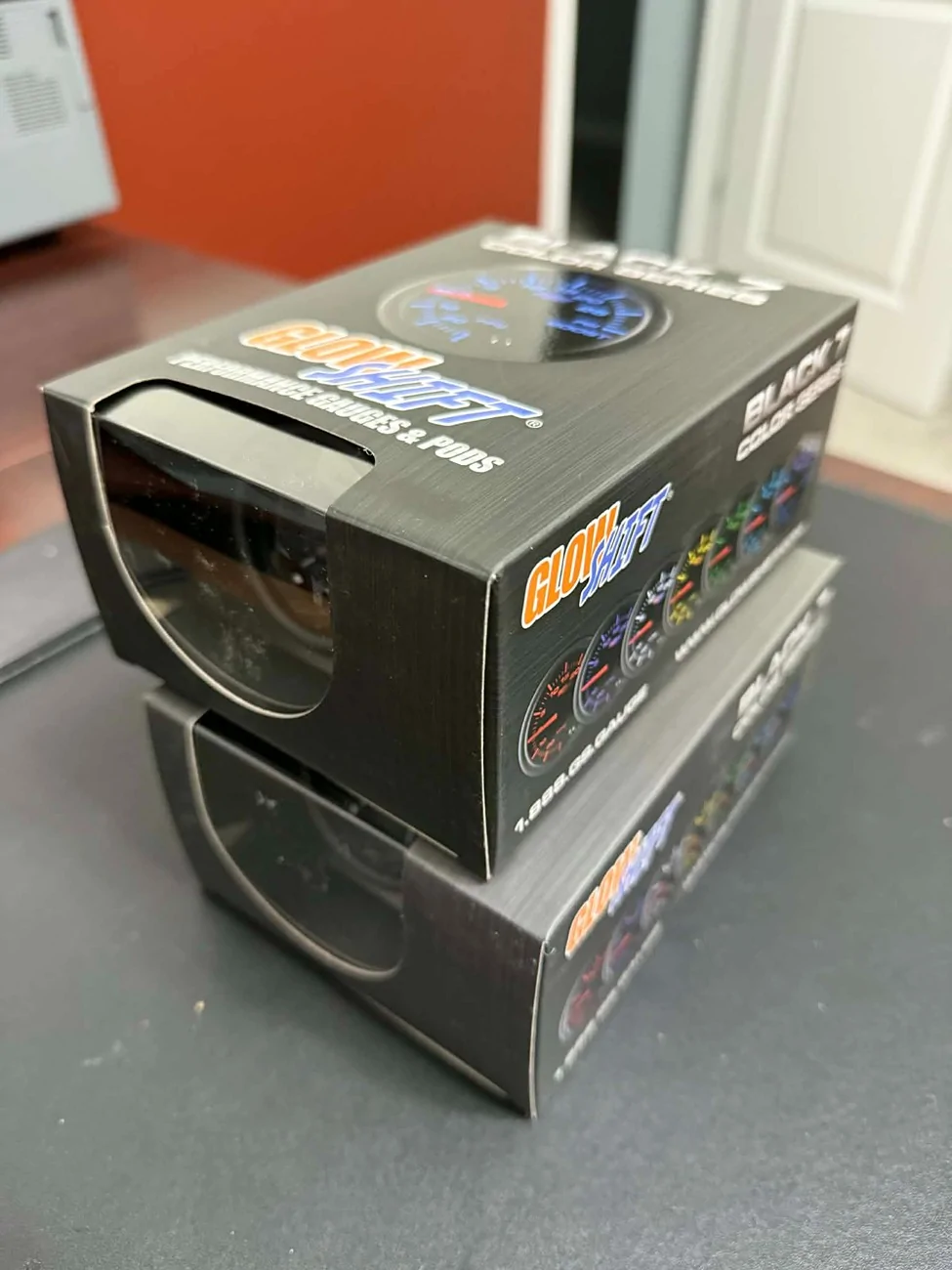
1 - Gather your parts and tools
Have your gauges, pod, and recommended tools ready. I suggest a plastic trim removal tool, stubby Phillips screwdriver, and flathead screwdriver.


If you are doing the wiring yourself (not OBD2), I highly recommend a soldering iron, solder, flux, heat shrink, and a lighter.
Acura Integra Integra Type-S / A-Spec Tech Gauge Pod – Limited Run Announcement 1 - Buy Gauges
Acura Integra Integra Type-S / A-Spec Tech Gauge Pod – Limited Run Announcement 2 - Buy Pod


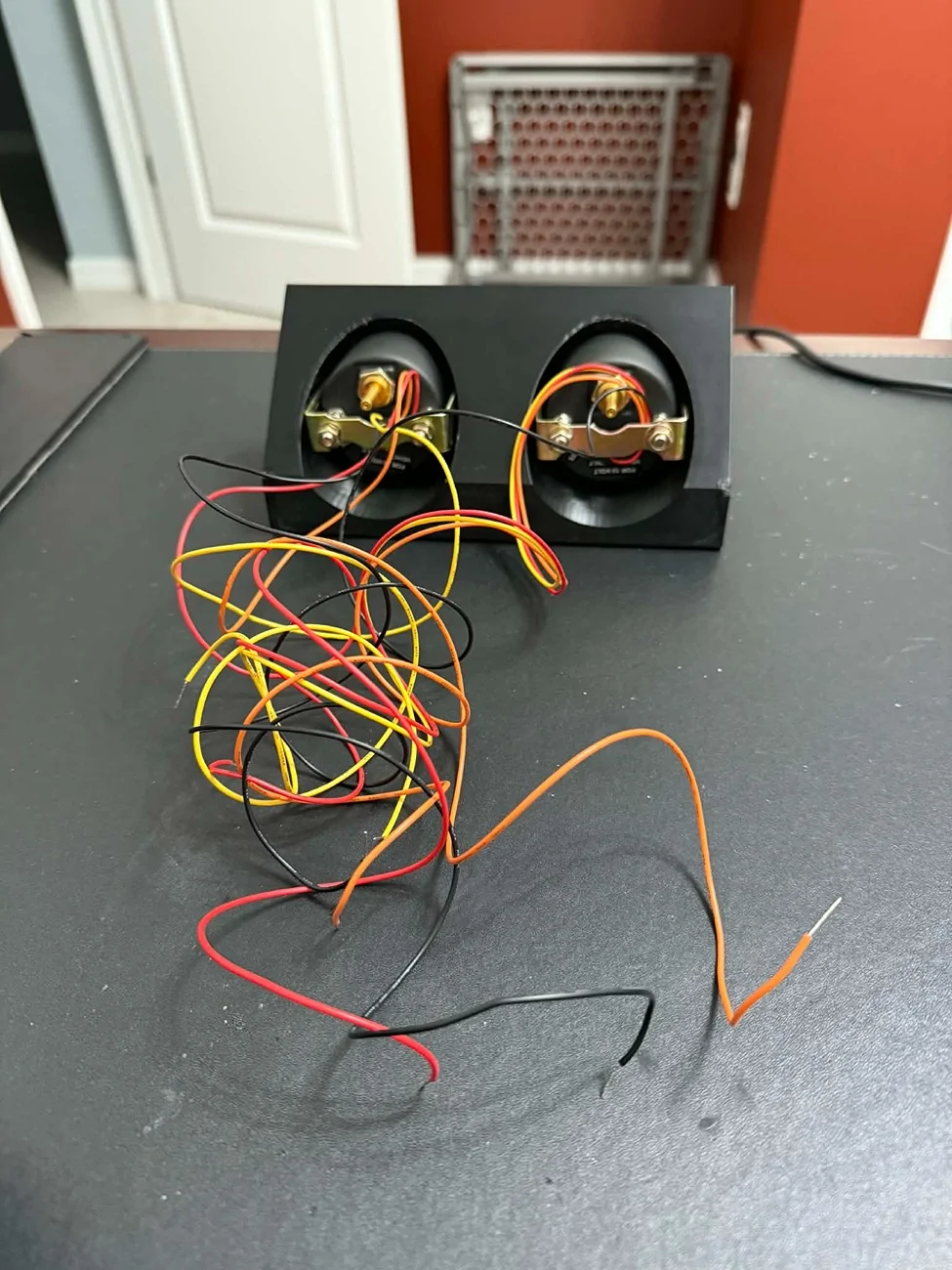
2 - Install the gauges into the gauge pod
Get them seated and aligned before moving on.
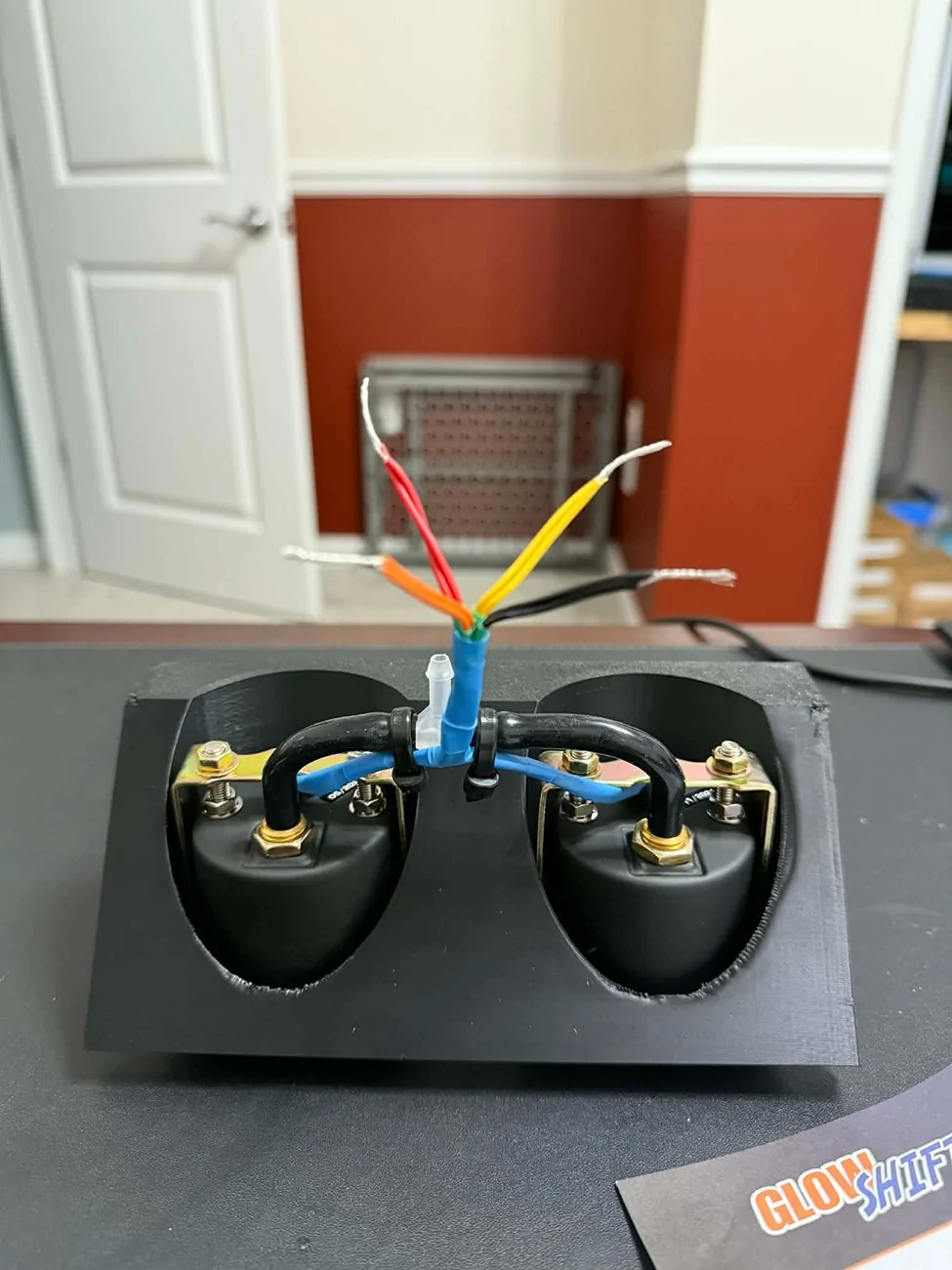
Acura Integra Integra Type-S / A-Spec Tech Gauge Pod – Limited Run Announcement 3 - Gauges in pod


3 - Solder and heat shrink the wiring
Take your time here. Clean wiring now saves headaches later.
Acura Integra Integra Type-S / A-Spec Tech Gauge Pod – Limited Run Announcement 4 - Solder and Heat Shrink


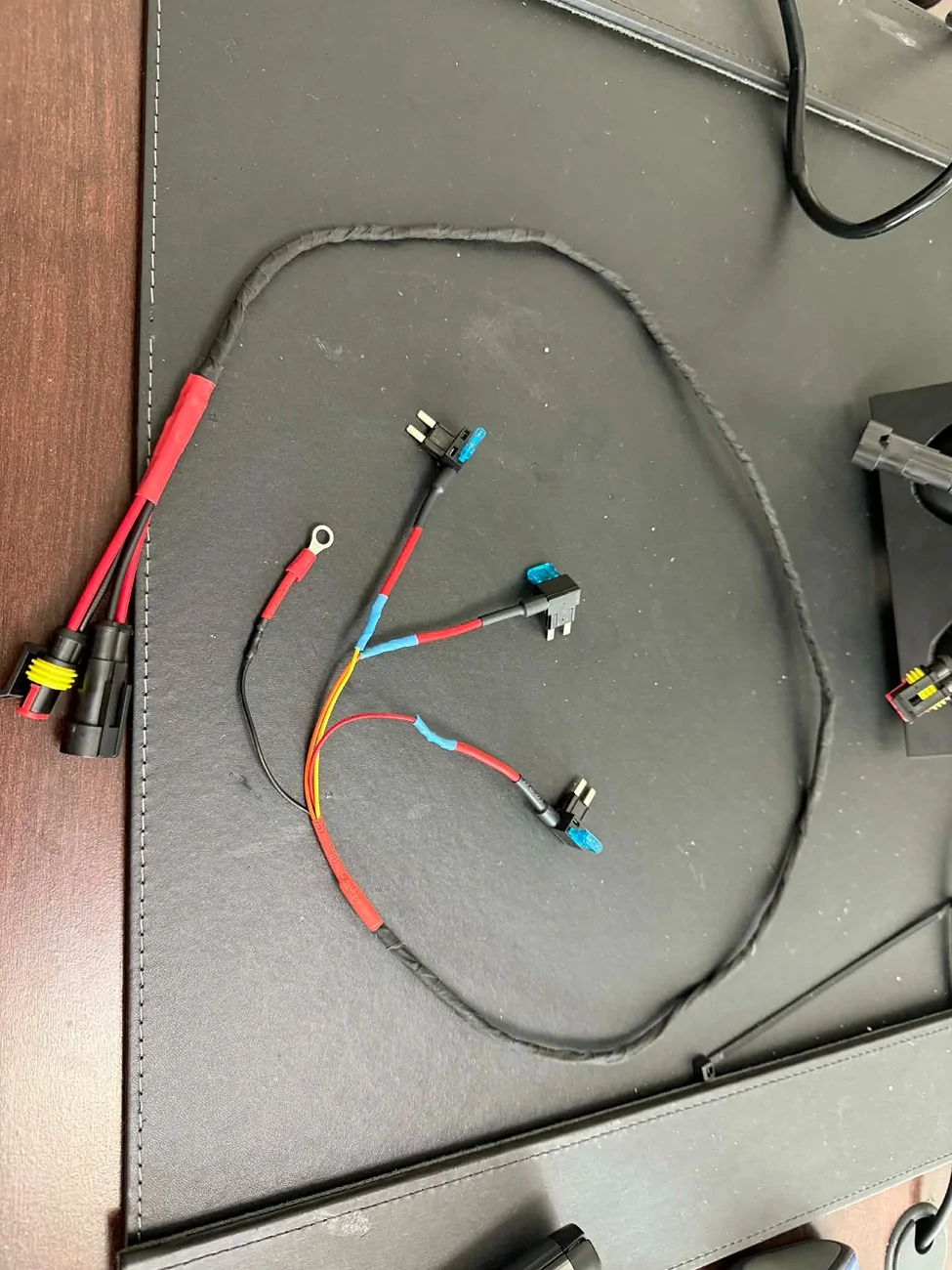
4 - Create the wiring harness and add pigtail connectors
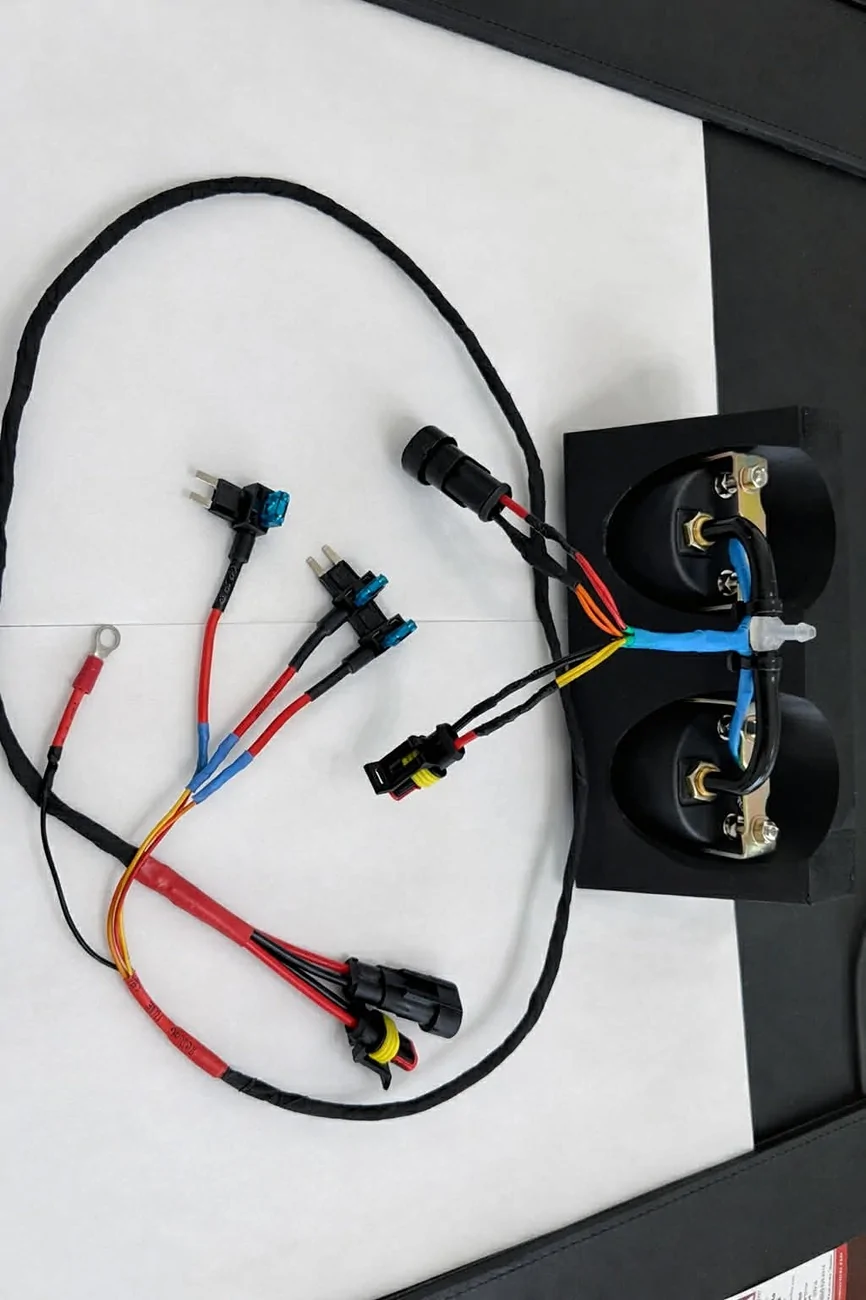
I added pigtail connectors to make the pod easy to install and remove if needed. This makes future service much easier.
Acura Integra Integra Type-S / A-Spec Tech Gauge Pod – Limited Run Announcement 5 - Create Harness
Acura Integra Integra Type-S / A-Spec Tech Gauge Pod – Limited Run Announcement 6 - Add Pigtail Connectors (ready for install)


5 - Remove interior trim
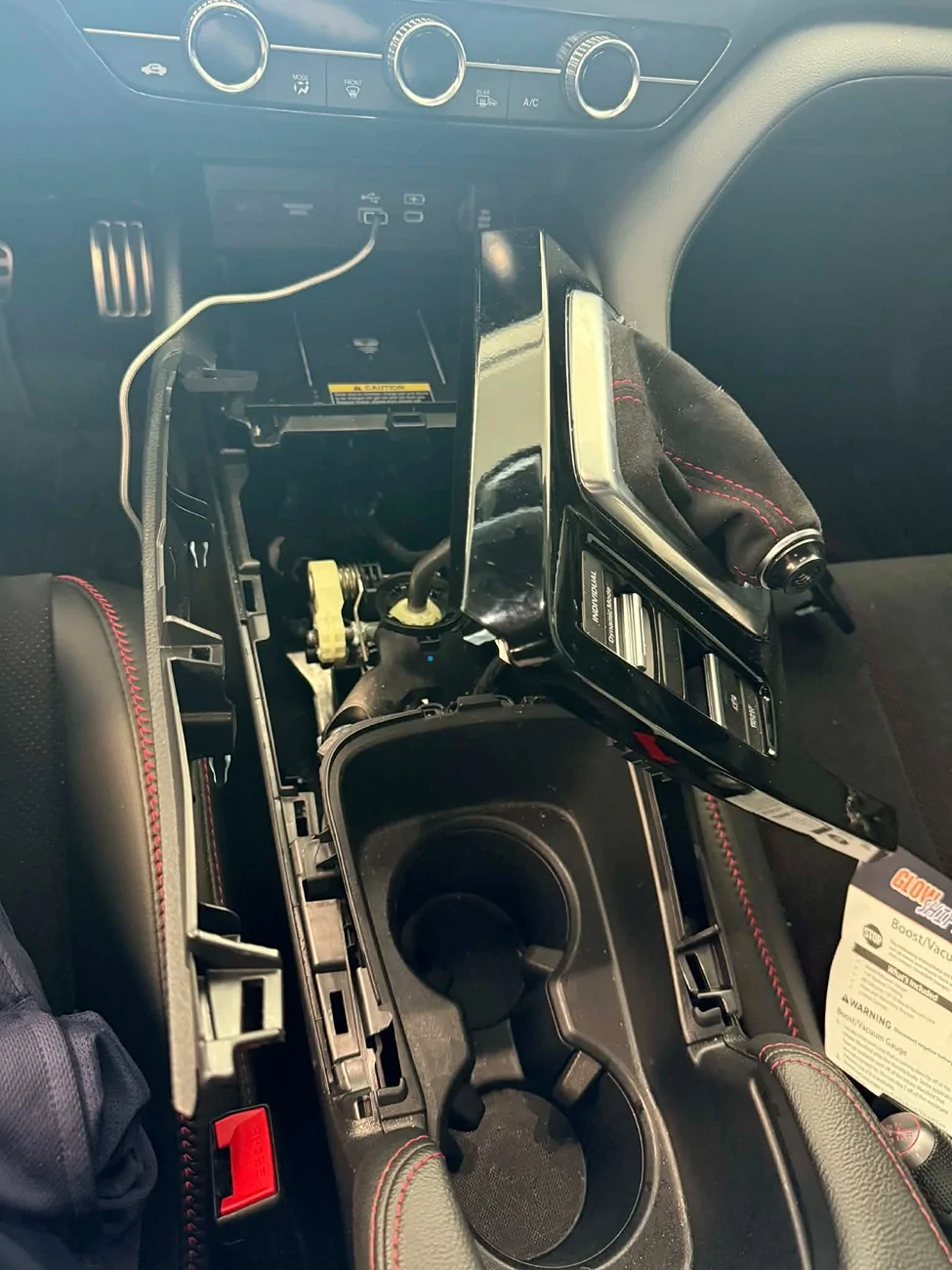
Remove the shifter trim by gently pulling upward on the corners. Be careful, as there is wiring for the buttons on the trim.

On the front underside of the wireless charger on the left side, you’ll see a flat area. Underneath is a small Phillips head screw that is upside down. Remove that screw.

You can now gently pull the driver-side footwell trim away. Do not try to remove it completely.
Acura Integra Integra Type-S / A-Spec Tech Gauge Pod – Limited Run Announcement 7 - Remove shifter trim and driver footwell trim piec


6 - Run the wiring under the dash
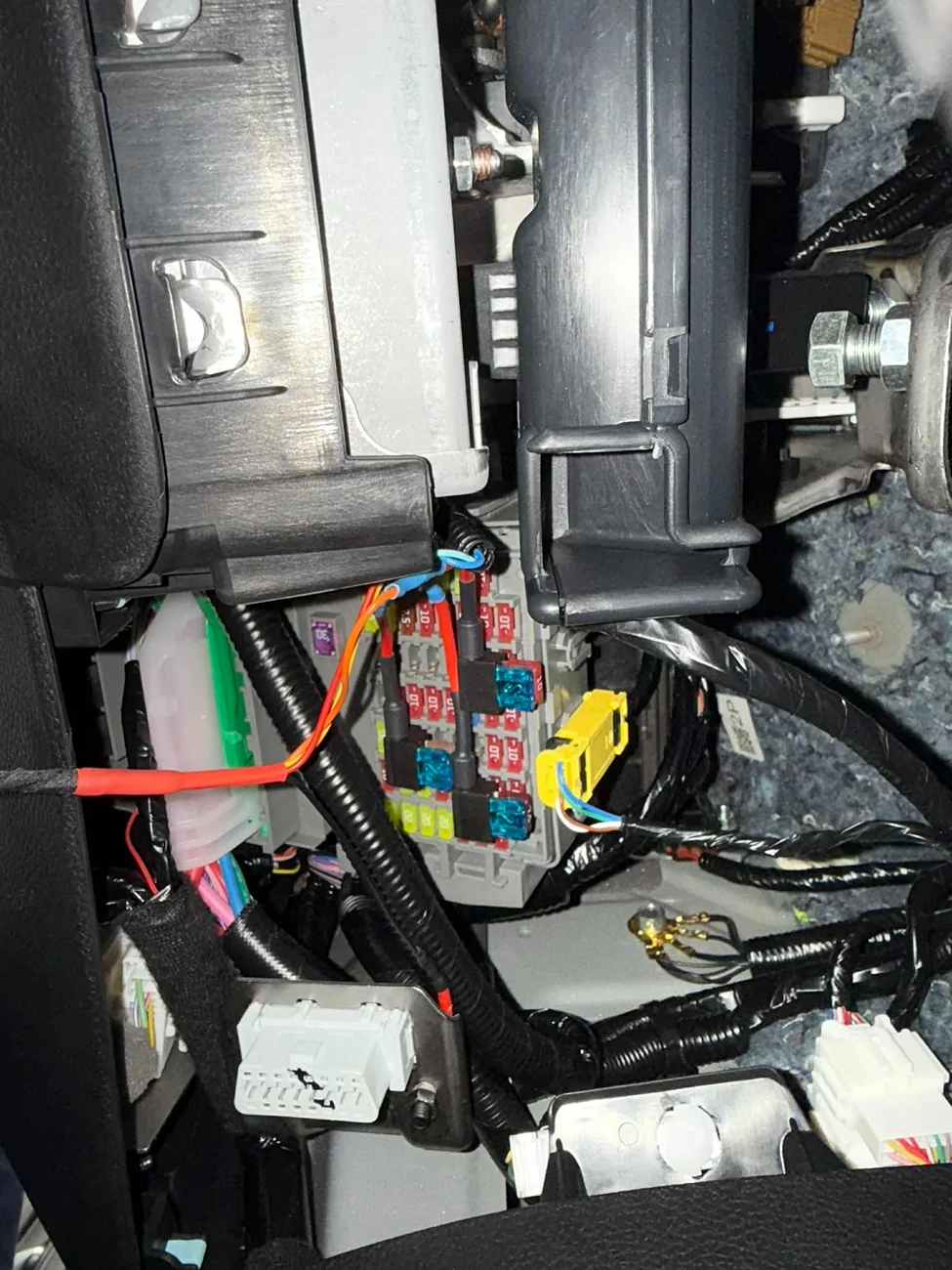
Run the wires from the driver-side footwell fuse box, under the dash, behind the trim, and up to the wireless charger area.


My gauges needed constant power, switched power, and headlamp power for dimming. GlowShift gauges are extremely bright, so I tied into the headlight circuit so they dim automatically.


No photos here, sorry everyone. Again, sick brain.


7 - Fuse box connections
I used Add-a-Circuit fuse tap adapters (search Amazon). This is the cleanest way I’ve found to get power.


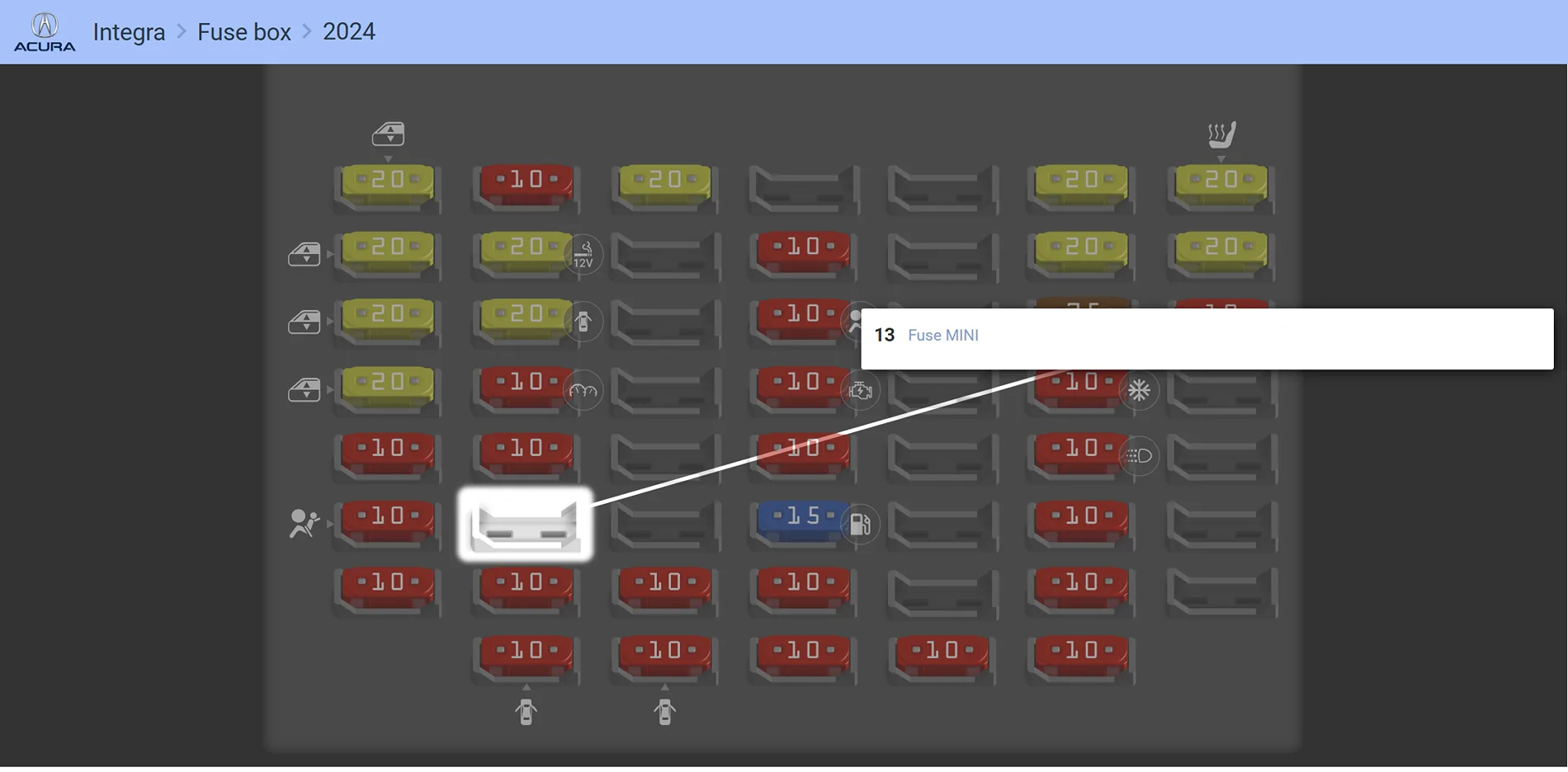
Fuse spot 13 was used for switched power.
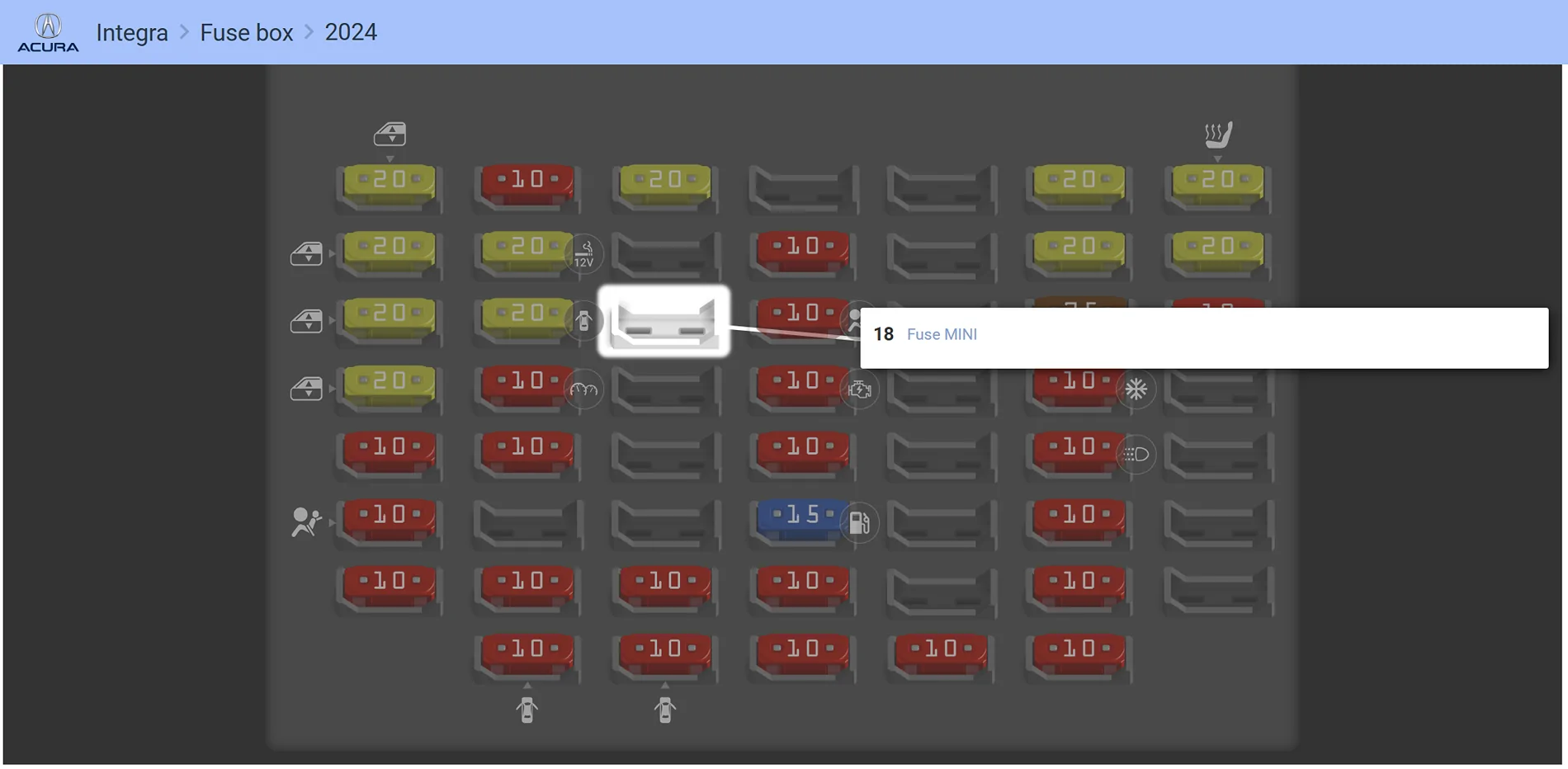
Fuse spot 18 was used for constant power.


Important: Fuse spot 13 is the ONLY switched power location I have found.


For ground, I used an existing grounding point next to the fuse box.
Acura Integra Integra Type-S / A-Spec Tech Gauge Pod – Limited Run Announcement 8 - Run Wires to Fuse Box

Acura Integra Integra Type-S / A-Spec Tech Gauge Pod – Limited Run Announcement photo fuse 1
Acura Integra Integra Type-S / A-Spec Tech Gauge Pod – Limited Run Announcement photo fuse 2


8 - Engine bay routing
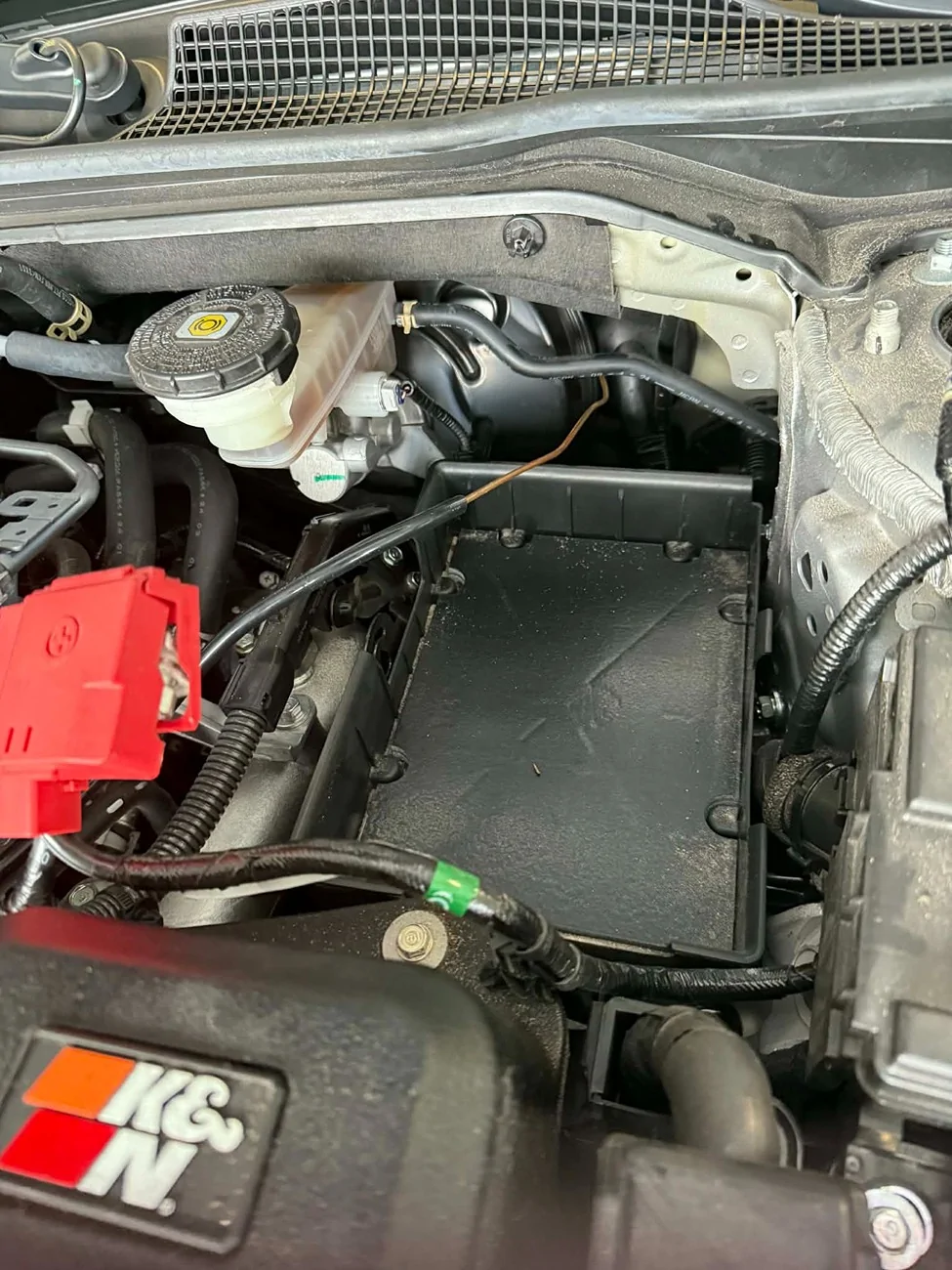
If the battery is not disconnected, disconnect it now. There are two 10mm bolts holding it to the tray and one 10mm bolt on each battery terminal.


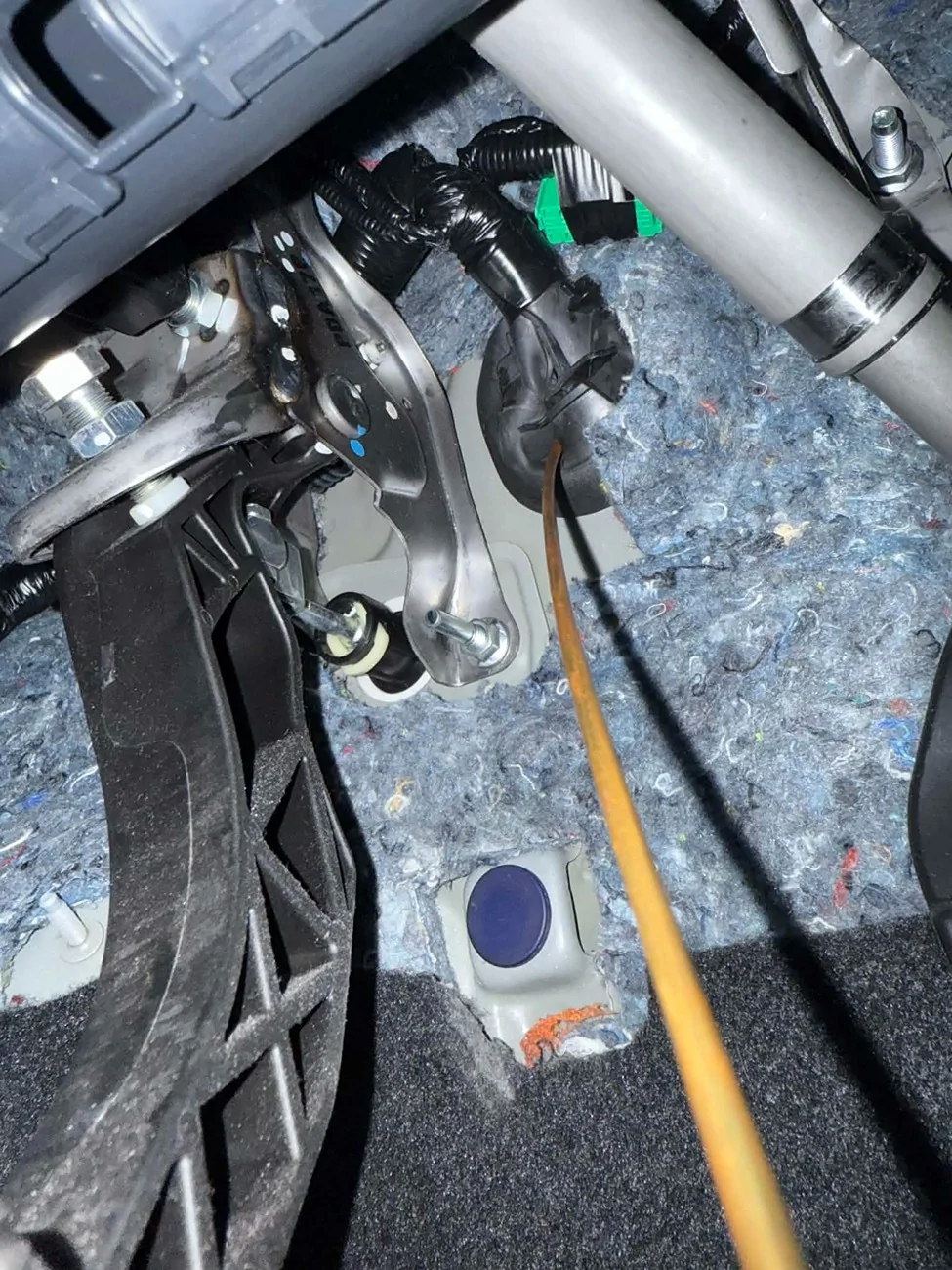
To the right of the brake booster is a factory grommet. This is your entry point into the cabin. It exits right by the fuse box in the driver footwell area.


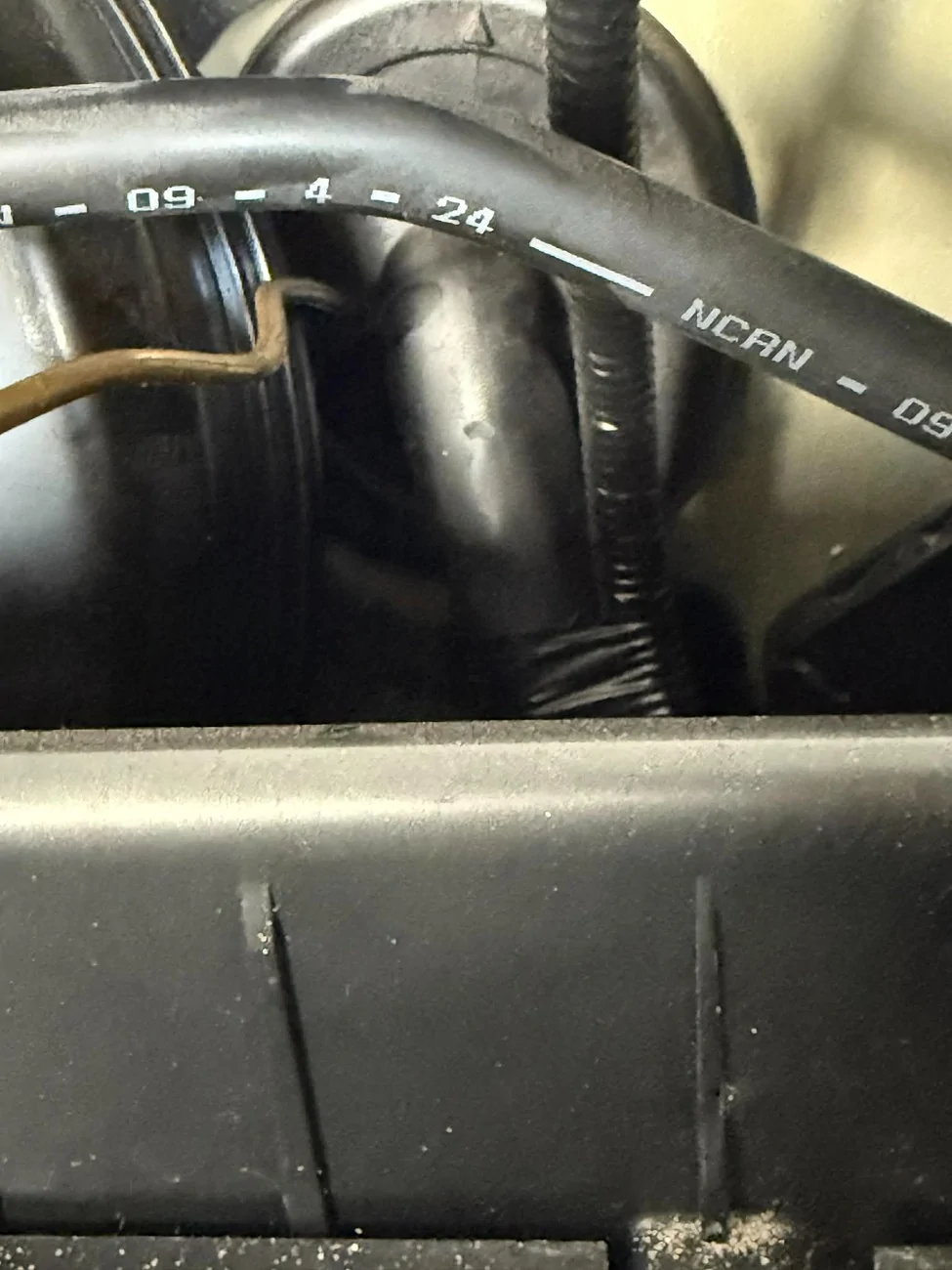
I carefully punctured the grommet using a small copper wire as a tool tool (be cautious, this is a factory grommet) and ran my vacuum line through for the boost gauge.
Acura Integra Integra Type-S / A-Spec Tech Gauge Pod – Limited Run Announcement 9 - Remove Battery and run wires to engine bay
Acura Integra Integra Type-S / A-Spec Tech Gauge Pod – Limited Run Announcement 10 - This is where it comes inon the interior through the grommet
Acura Integra Integra Type-S / A-Spec Tech Gauge Pod – Limited Run Announcement 11 - Upclose grommet in engine bay


9 - Sensor connections
From here, it depends on what gauges you are running.

For a boost gauge, on the back left of the engine there is a small boost reference line from the intake manifold to a factory sensor. That is a good place to tap.

Coolant temp, oil temp, AFR, etc. all have different tap locations unless you are using OBD2.

10 - Reassemble and test
Reassemble the interior, reconnect the battery, and enjoy.

At this point I realized I didn’t have a long enough vacuum hose and my body was done for the day (still sick). I need about two more feet of vacuum hose in the engine bay, but I’m not running to Advance Auto right now.

Everything lights up correctly and turns on and off with the car.
Acura Integra Integra Type-S / A-Spec Tech Gauge Pod – Limited Run Announcement 12 - Put it back together and enjoy


I can still make 4 black, 5 blue, and 5 red pods. I’m only taking orders until Sunday night, and then that's it. Buy one for your mom, dad, resell them for triple the price locally, etc. Once they're gone, they're gone and people will want an option.

I'm gonna have some orange juice and take a nap. Enjoy everyone!
 

Sponsored

jaypinto

Member
First Name
Jason
Joined
Dec 31, 2023
Threads
8
Messages
42
Reaction score
36
Location
Vancouver
Car(s)
2024 Integra Type S
Good evening!


I originally intended on posting a full step-by-step “how to” guide, but during the install I kept forgetting to take photos lol. Sorry about that. I’ve got an upper respiratory infection and my brain is operating at about 60%, but I still wanted to get the info out since the 5 people who ordered will have theirs arriving in the mail. Also, in my stupidity, i accidentally used an old version of the pod, so it looks different than the ones sent out.


One note before starting:
You’ll see I have a vacuum gauge AND a boost gauge installed. Amazon sent me the wrong gauge and is shipping the correct one (they let me keep the vacuum gauge). I’m just using it for the post and will rewire once the correct one shows up.


1 - Gather your parts and tools
Have your gauges, pod, and recommended tools ready. I suggest a plastic trim removal tool, stubby Phillips screwdriver, and flathead screwdriver.


If you are doing the wiring yourself (not OBD2), I highly recommend a soldering iron, solder, flux, heat shrink, and a lighter.
1 - Buy Gauges.webp
2 - Buy Pod.webp


2 - Install the gauges into the gauge pod
Get them seated and aligned before moving on.
3 - Gauges in pod.webp


3 - Solder and heat shrink the wiring
Take your time here. Clean wiring now saves headaches later.
4 - Solder and Heat Shrink.webp


4 - Create the wiring harness and add pigtail connectors
I added pigtail connectors to make the pod easy to install and remove if needed. This makes future service much easier.
5 - Create Harness.webp
6 - Add Pigtail Connectors (ready for install).webp


5 - Remove interior trim
Remove the shifter trim by gently pulling upward on the corners. Be careful, as there is wiring for the buttons on the trim.

On the front underside of the wireless charger on the left side, you’ll see a flat area. Underneath is a small Phillips head screw that is upside down. Remove that screw.

You can now gently pull the driver-side footwell trim away. Do not try to remove it completely.
7 - Remove shifter trim and driver footwell trim piece.webp


6 - Run the wiring under the dash
Run the wires from the driver-side footwell fuse box, under the dash, behind the trim, and up to the wireless charger area.


My gauges needed constant power, switched power, and headlamp power for dimming. GlowShift gauges are extremely bright, so I tied into the headlight circuit so they dim automatically.


No photos here, sorry everyone. Again, sick brain.


7 - Fuse box connections
I used Add-a-Circuit fuse tap adapters (search Amazon). This is the cleanest way I’ve found to get power.


Fuse spot 13 was used for switched power.
Fuse spot 18 was used for constant power.


Important: Fuse spot 13 is the ONLY switched power location I have found.


For ground, I used an existing grounding point next to the fuse box.
8 - Run Wires to Fuse Box.webp

photo fuse 1.webp
photo fuse 2.webp


8 - Engine bay routing
If the battery is not disconnected, disconnect it now. There are two 10mm bolts holding it to the tray and one 10mm bolt on each battery terminal.


To the right of the brake booster is a factory grommet. This is your entry point into the cabin. It exits right by the fuse box in the driver footwell area.


I carefully punctured the grommet using a small copper wire as a tool tool (be cautious, this is a factory grommet) and ran my vacuum line through for the boost gauge.
9 - Remove Battery and run wires to engine bay.webp
10 - This is where it comes inon the interior through the grommet.webp
11 - Upclose grommet in engine bay.webp


9 - Sensor connections
From here, it depends on what gauges you are running.

For a boost gauge, on the back left of the engine there is a small boost reference line from the intake manifold to a factory sensor. That is a good place to tap.

Coolant temp, oil temp, AFR, etc. all have different tap locations unless you are using OBD2.

10 - Reassemble and test
Reassemble the interior, reconnect the battery, and enjoy.

At this point I realized I didn’t have a long enough vacuum hose and my body was done for the day (still sick). I need about two more feet of vacuum hose in the engine bay, but I’m not running to Advance Auto right now.

Everything lights up correctly and turns on and off with the car.
12 - Put it back together and enjoy.webp


I can still make 4 black, 5 blue, and 5 red pods. I’m only taking orders until Sunday night, and then that's it. Buy one for your mom, dad, resell them for triple the price locally, etc. Once they're gone, they're gone and people will want an option.

I'm gonna have some orange juice and take a nap. Enjoy everyone!
Dude thank you so much! This is so well detailed! I hope you feel better soon!


Top